Material Liner is what we call that piece (or pieces) of what looks like paper inside product caps. It is also referred to as induction foil, induction sealing material, foil seals and induction seals among others. Many people are unaware of the purpose they serve to the product aside from being a protection seal or […]
All posts by
Cap Liner Types and Functions
A cap liner is a piece of material that sits between the cap and the bottle. Its traditional primary purposes are to offer proper sealing of the product to prevent leakage and optionally to provide tamper evidence. New technology is now turning this humble piece of packaging into a multimedia gateway for brands to reach out to their consumers […]
Caps with Liners
Caps and Closures As we deal with so many cap manufacturers we are able to source and supply you with the cap and cap lining material combination you are looking for without the need to separately supply you with cap lining material. The caps are supplied from cap manufacturers for whom we have an established […]
Induction Sealing Statistics – How You Must Get The Right Cap and Lining Material Combinations
This discussion below is an excerpt of a client discussion we have prior to supplying equipment. We don’t have to do this; we could be like the ebay or Alibaba or “one stop every machine under the sun supplier” but we are not as we like to think of ourselves as a supplier invited to […]
Treating Induction Liners as Contents
Food Grade Induction Liners Big Brand Cosmetic and Food Companies value their product being produced in Western Countries like the USA, Canada, Australia, New Zealand, The UK, Germany and France. For example, a Salt Scrub that says produced in Canada carries a lot more appeal to clients and Brand owners alike than a product that […]
Safe, Affordable, Handheld or Bench Top Induction Sealing Machine
Following frequent inquiries from smaller businesses, some start up companies, and testing labs looking for a reasonably priced induction machine, we have decided to make available a safe and affordable induction sealing unit. Smaller businesses have low budgets in mind, but it doesn’t mean that they are ready to compromise machine safety and the integrity […]
MeRo 2KW Air Cooled Induction Sealer
Induction Sealer The MeRo 2KW Air Cooled unit is a reliable racehorse with standard features that many quote as confusingly priced options. It is what we call the medium priced high end machine. The machine has a Motorised Height Adjustment, Missing Foil Detection, and Bottle Accumulation Detection. It also has an energy trasnferred reading for […]
Filling Machine and Heat Sealing Machine Turnkey Packaging Line
Below is an example of a Turnkey solution for filling and packing creamed honey. A three Lane Piston Filler and Heat Sealing machine was combined for packing creamed honey. Watch our Filler and Heat Sealer Machine in action: Fully Automated Filling Machine Features The machine feeds empty tubs into three lanes of an indexing (Start-Stop) […]
Induction Sealing Statistics – How You Must Get The Right Cap and Lining Material Combinations
This discussion below is an excerpt of a client discussion we have prior to supplying equipment. We don’t have to do this; we could be like the ebay or Alibaba or “one stop every machine under the sun supplier” but we are not as we like to think of ourselves as a supplier invited to […]
Cap Liner Types and Functions
A cap liner is a piece of material that sits between the cap and the bottle. Its traditional primary purposes are to offer proper sealing of the product to prevent leakage and optionally to provide tamper evidence. New technology is now turning this humble piece of packaging into a multimedia gateway for brands to reach out to their consumers […]
Treating Induction Liners as Contents
Food Grade Induction Liners Big Brand Cosmetic and Food Companies value their product being produced in Western Countries like the USA, Canada, Australia, New Zealand, The UK, Germany and France. For example, a Salt Scrub that says produced in Canada carries a lot more appeal to clients and Brand owners alike than a product that […]
Treating Induction Liners as Contents
Food Grade Induction Liners Big Brand Cosmetic and Food Companies value their product being produced in Western Countries like the USA, Canada, Australia, New Zealand, The UK, Germany and France. For example, a Salt Scrub that says produced in Canada carries a lot more appeal to clients and Brand owners alike than a product that […]
Cap Liner Types and Functions
A cap liner is a piece of material that sits between the cap and the bottle. Its traditional primary purposes are to offer proper sealing of the product to prevent leakage and optionally to provide tamper evidence. New technology is now turning this humble piece of packaging into a multimedia gateway for brands to reach out to their consumers […]
Cap Liner Types and Functions
A cap liner is a piece of material that sits between the cap and the bottle. Its traditional primary purposes are to offer proper sealing of the product to prevent leakage and optionally to provide tamper evidence. New technology is now turning this humble piece of packaging into a multimedia gateway for brands to reach out to their consumers […]
Cap Liner Types and Functions
A cap liner is a piece of material that sits between the cap and the bottle. Its traditional primary purposes are to offer proper sealing of the product to prevent leakage and optionally to provide tamper evidence. New technology is now turning this humble piece of packaging into a multimedia gateway for brands to reach out to their consumers […]
On-Demand Color Badges
Founded in 1976, CompuSystems (https://www.compusystems.com/) has enjoyed many years as a major registration service provider for the trade show industry. They offer integrated software that meets the specific needs of their clients, creating an ecosystem that fosters the buyer and seller relationship.
Their goal is to establish long lasting relationships with their clients based on trust, a shared success and a commitment to quality. Their vision is to have every customer recommend CompuSystems. To succeed, CompuSystems is dedicated to making investments in quality products and services to support their customers now and in the future.

When Jeremy Kubik, Director of IT for CompuSystems, and I first communicated, he was looking for an alternative to the Xerox Color printers they were using. Jeremy said, “We’re looking for an alternative to the Xerox sheet fed printer. We want to use some type of continuous badges; many of our badges are 4” x 12”. In addition, we need a smaller footprint as our registration desks have limited space. Plus we need to have the capability to print on-demand and in color.”
Based on our discussion, I sent samples of both 10 mil paper and 8 mil poly badges designed to work in the C3500. The poly material is more expensive than the paper; but prints great and is very durable. Ink costs are less, generally, compared to laser.. On the sample artwork provided by Jeremy, I estimated the ink cost for the C3500 printer at $0.049/badge. Not bad for a 12” tag.
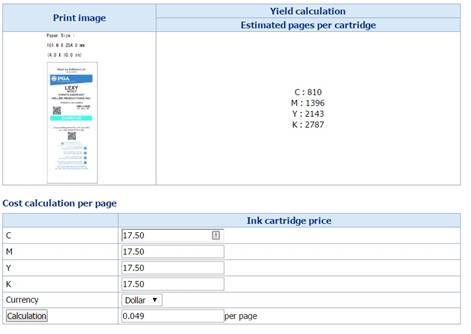 |
| 4″ x 12″ Badge Ink Cost-C3500 |
As CompuSystems consider alternatives, I found a new 8 pt tag paper tag material that was stiffer and printed great. Plus this material was very affordable. With this new material, Jeremy created a new 12” tag design, set up to print 2, 4” x 6” badges separated by a crease. With this design, the C3500 can print a two-sided badge.
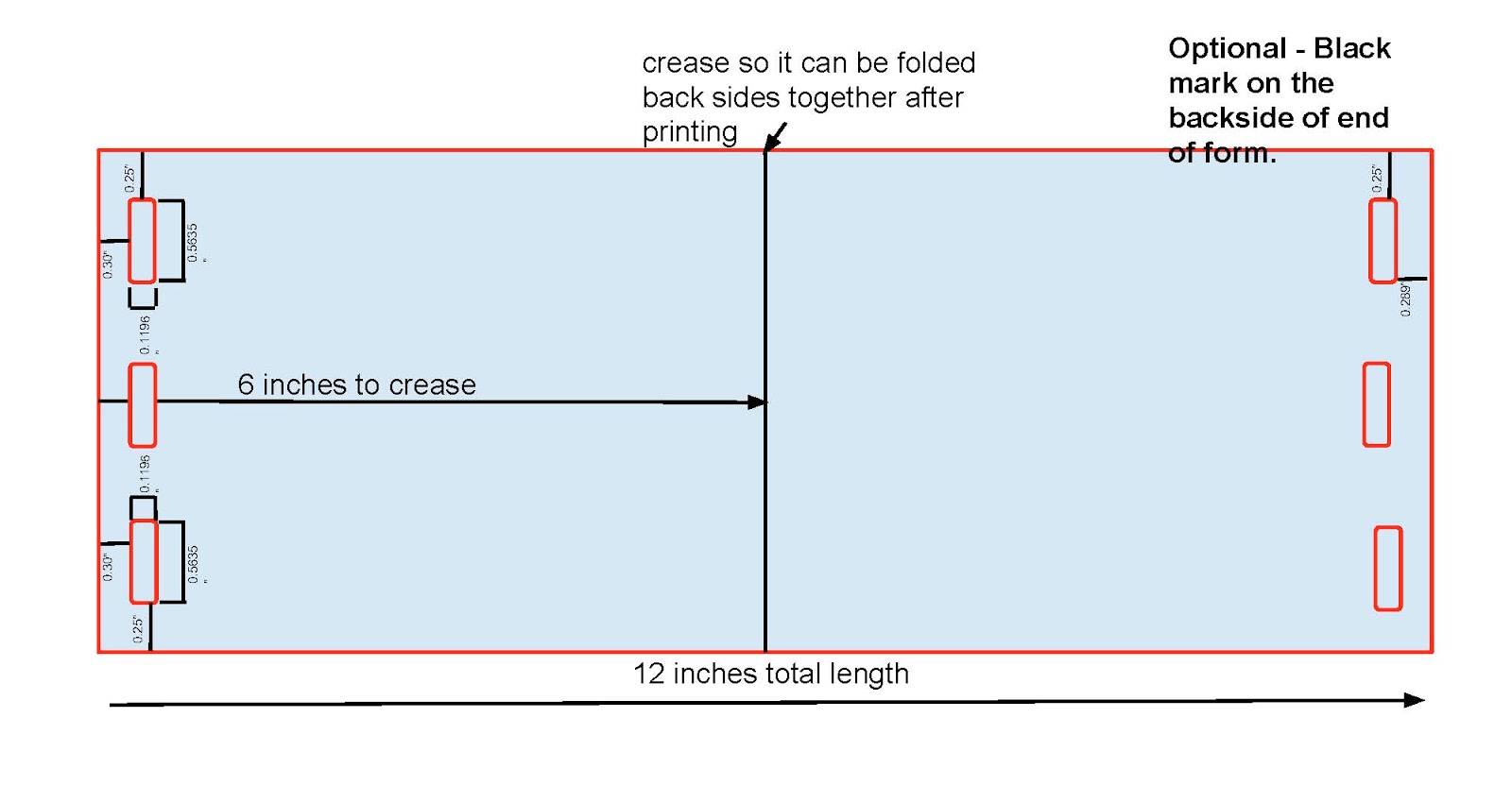 |
| 4″ x 12″ Badge Design |
Based on the available materials, running costs and printer cost, CompuSystems purchased C3500 printers for their badge printing.
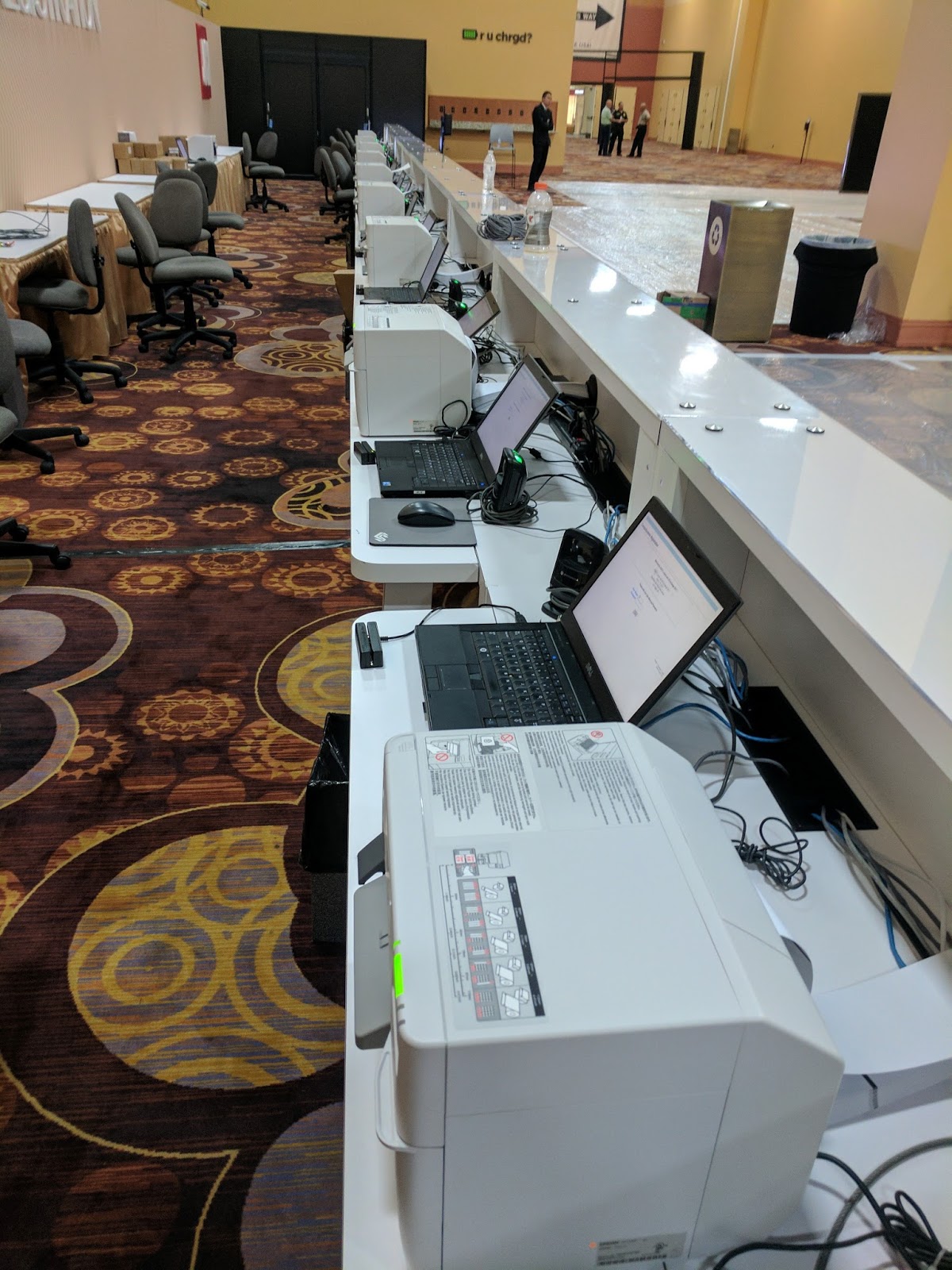 |
| C3500 Badge Printers |
Even more interesting to me, is how CompuSystems deployed the printers in an overall solution. First, how the printers were deployed. According to Jeremy, “to install and configure the printer drivers, I figured out how to accomplish this task via a batch mode. This step was important as every badge pickup desk at each event uses a different server. The batch driver deployment makes it easy for us to set up an event.”
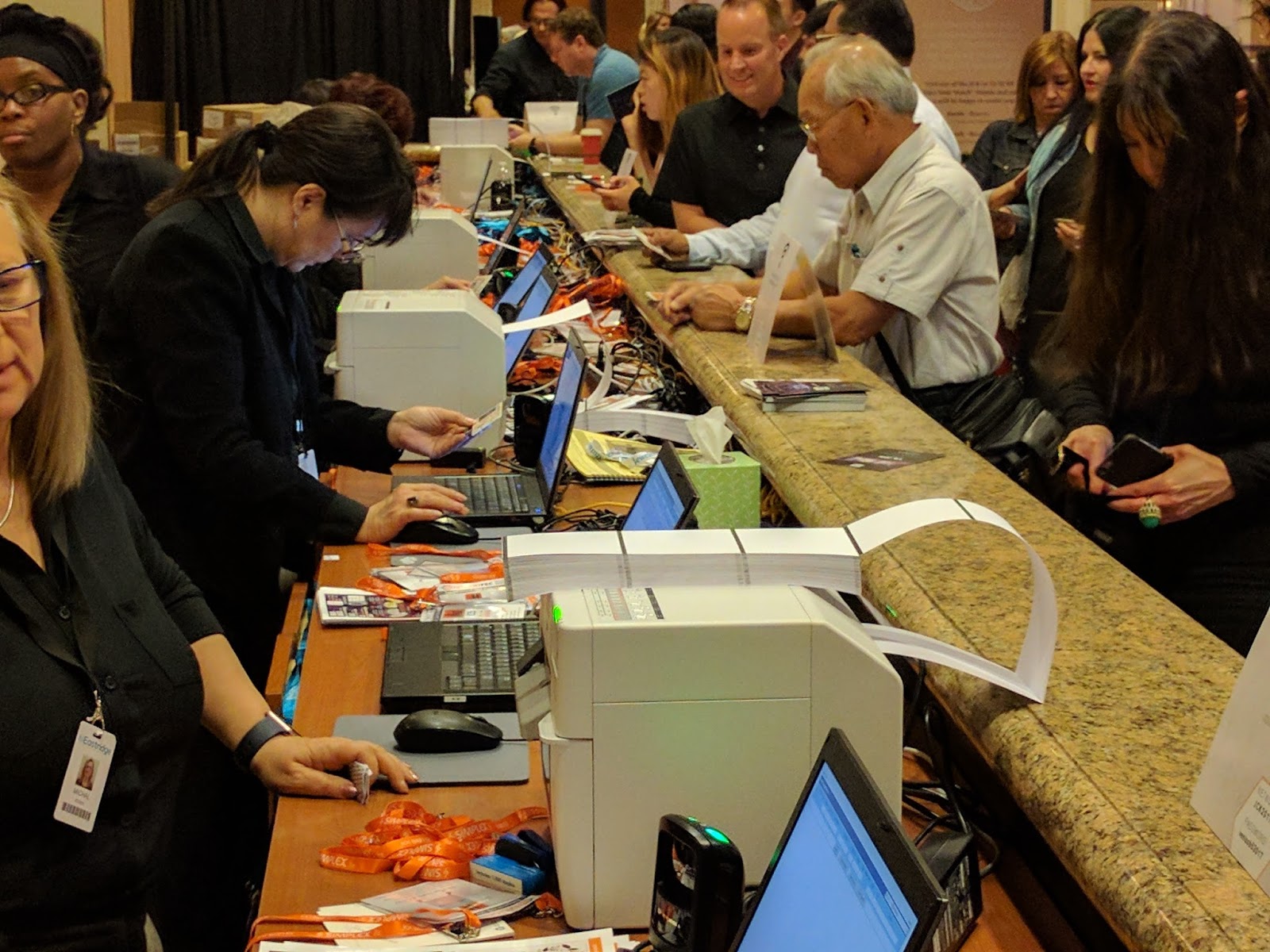 |
| C3500 Badge Printers |
In addition, CompuSystems uses BarTender to create the templates and print badges. According to Jeremy, “we use BarTender to print our badges. Our Unix-based registration application looks up each person in the database and “prints” via port 9100 to the local BarTender server. BarTender then adds the variable information to the template to create each individual badge. We’re printing hundreds or even thousands of badges at a time with variable information. All that information is then synchronized with our main servers. BarTender works great for us.”
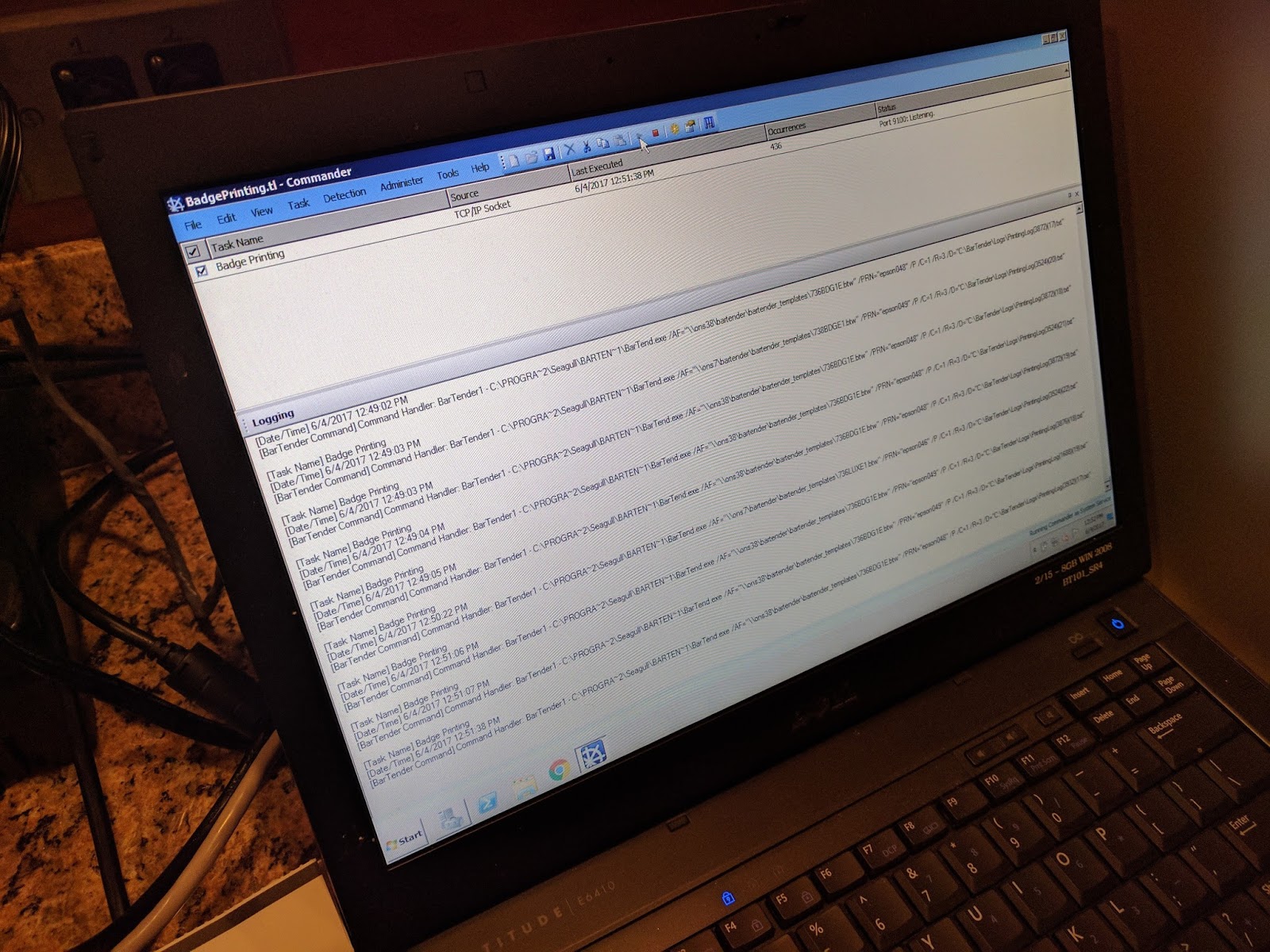 |
| BarTender Badge Printing |
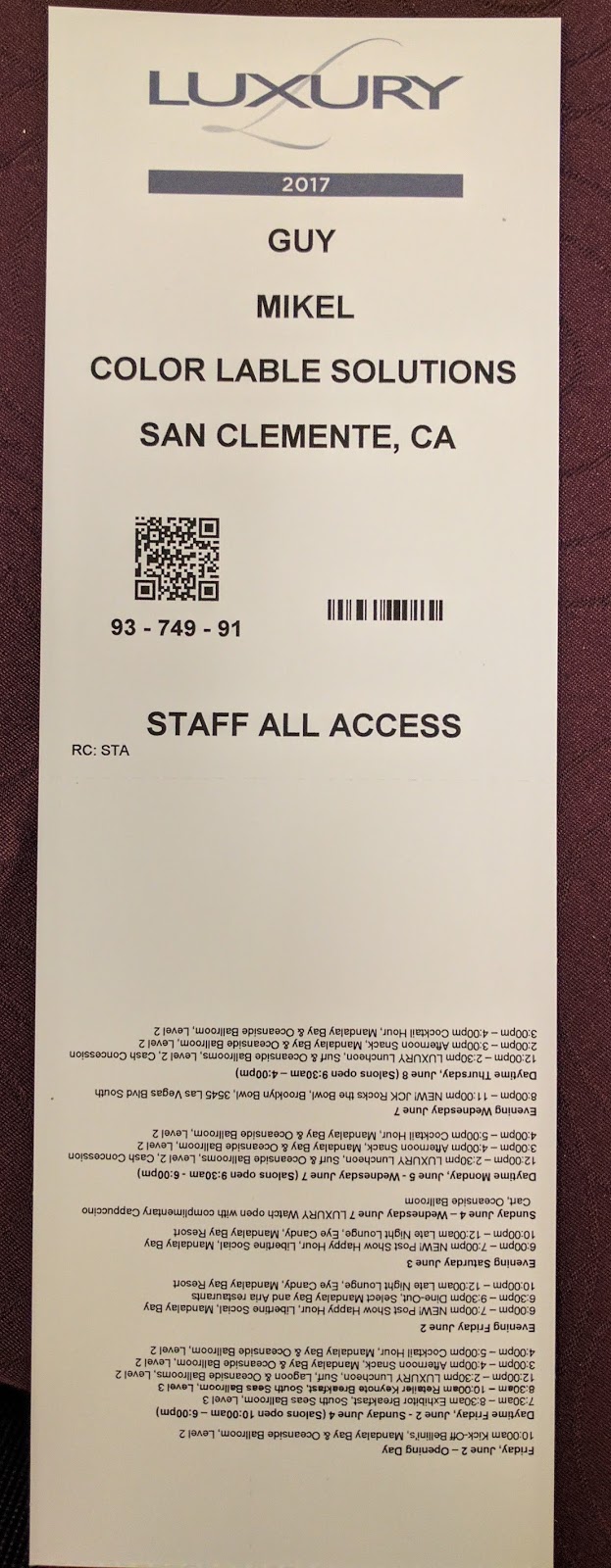 |
| C3500 Badge |
Jeremy and CompuSystems has built a great solution for printing color badges on demand using the C3500 printers and BarTender. Jeremy says “we’re very happy with the performance of the C3500 in our first event. They’re working great; printing very fast. We especially like the short time to first print. Plus the print quality is sufficient for our situation.”
In addition, we’ve found badge material, both paper and poly that print great and is affordable.
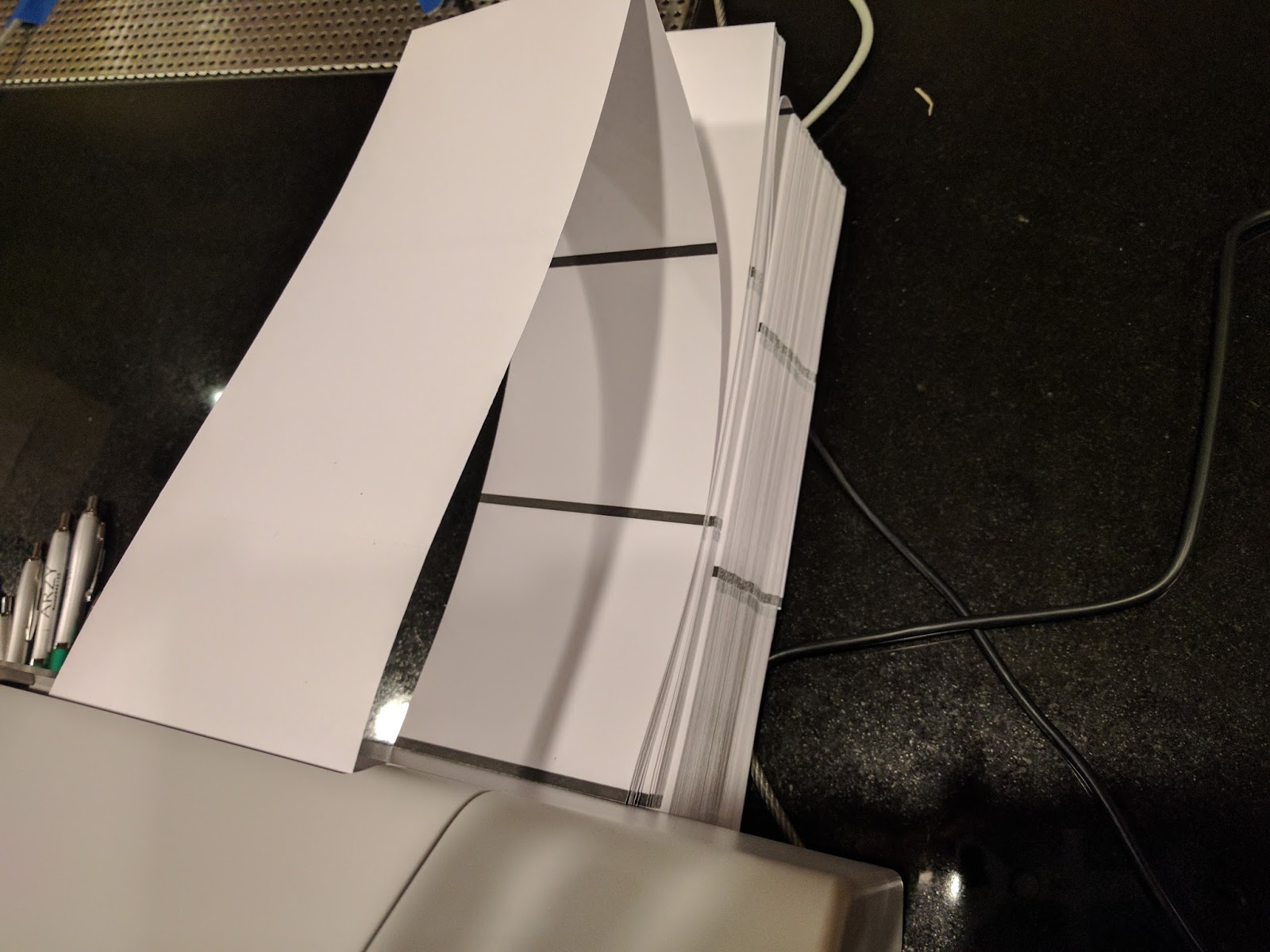 |
| Fanfold Badge Tags |
If you need to print event badges, contact us. We’ll help you move to printing color badges on-demand, saving you time and money.
Guy Mikel
855-962-7670
Perfect Print On-Demand Color Label Example
Founded in 1987 as a local wholesaler of products for the cabinet and furniture trades, QuickScrews International Corporation (www.quickscrews.com) has evolved into the supplier of the most popular brand of fasteners in the industry; including their new solar division (https://solarroofhook.com/). Their highly trained and experienced personnel are ready to discuss their customer’s needs to deliver on the promise “Get the Screws You Need Faster Than Ever”. QuickScrews uses technology to service many different categories of customers; from weekend warriors looking to finish a project, large cabinetmakers or solar roof installers, or wholesalers looking to support their customers. In 2010, QuickScrews began selling their products online, which expanded their customer base to more than 10,000 customers and shipping orders within 24 hours of receipt.

From my perspective, QuickScrews is the perfect example of a company needing to print color labels on demand. With thousands of SKU’s, QuickScrews uses colors and icons to differentiate types of fasteners. With their solar products, here are their color codes:
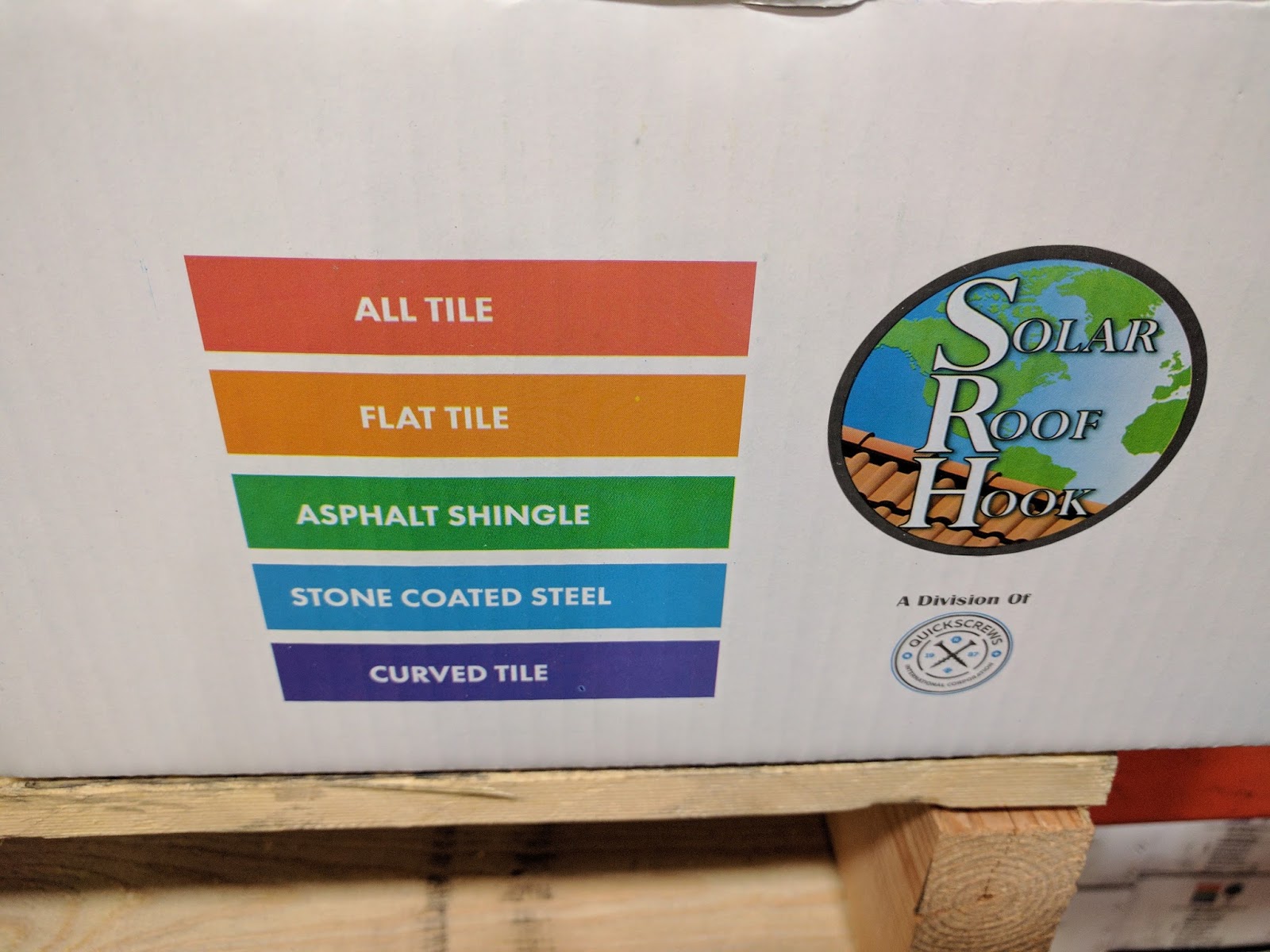 |
| QuickScrews Color Codes |
And here are icons in use on one of their products:
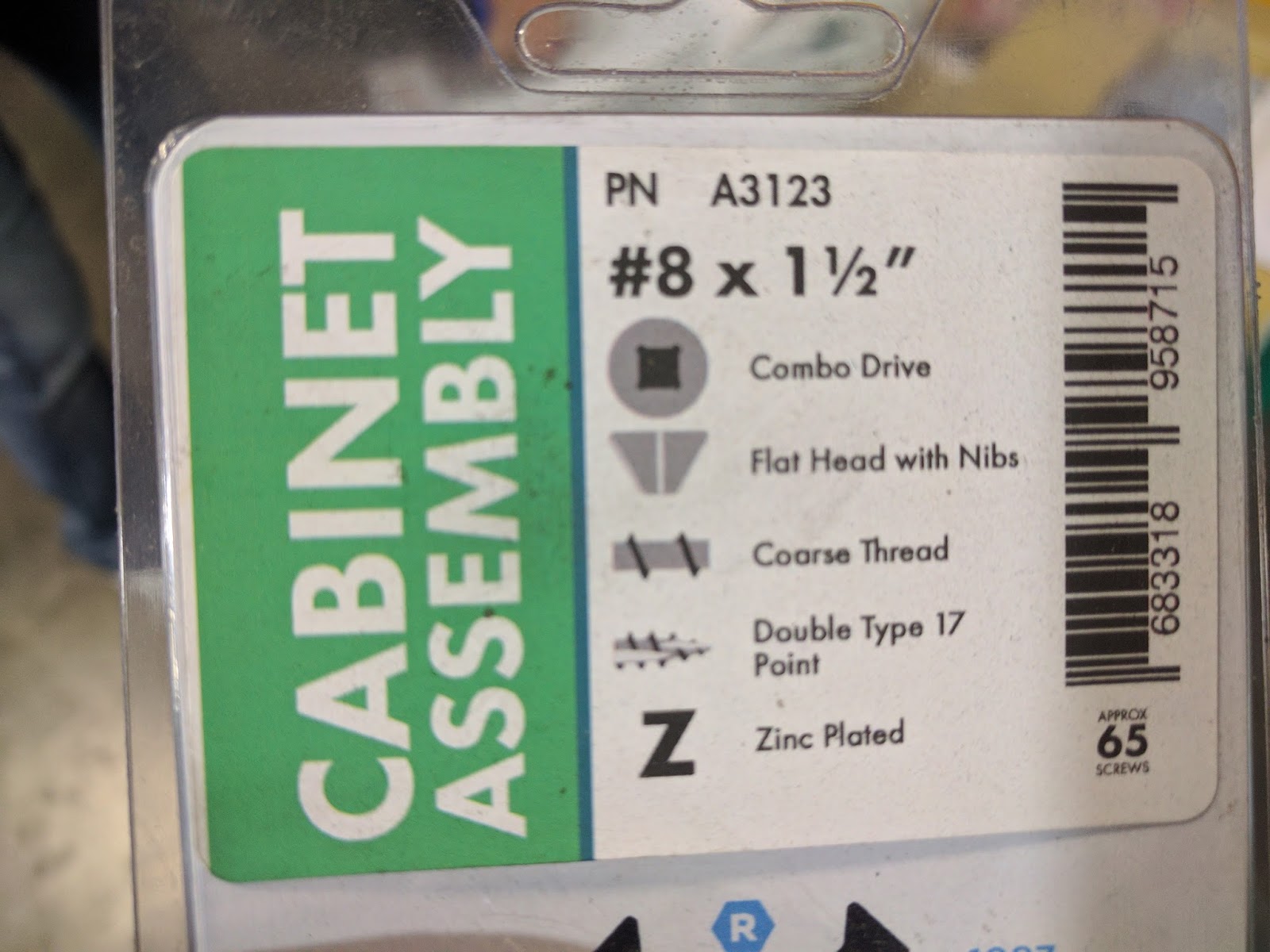 |
| QuickScrews Variable Icons |
Quickscrews prints these labels using the C3500 in stations distributed in their plants in Livermore, CA and in South Carolina.
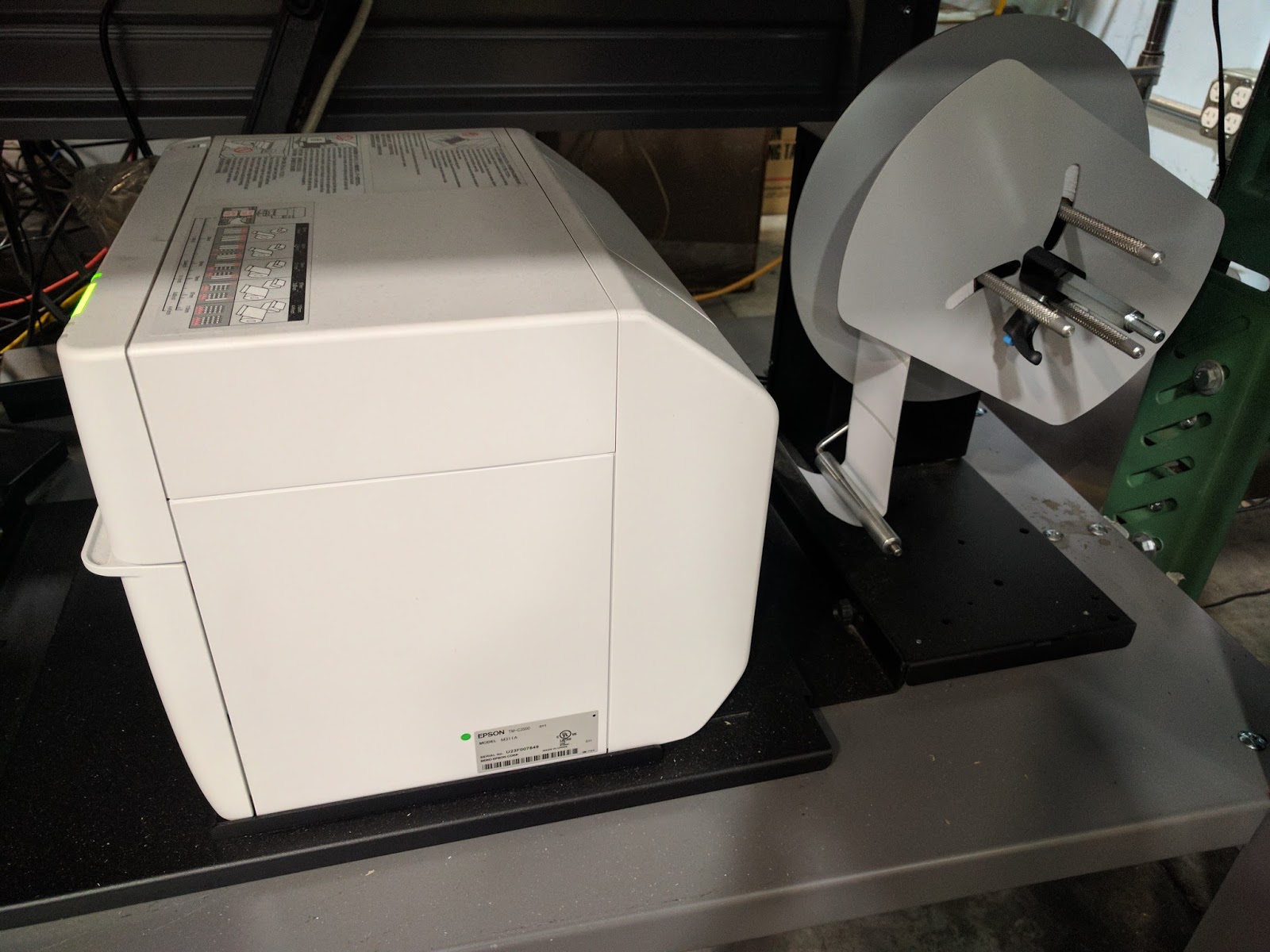
And they have experimented using a very inexpensive Go-Dex unwinder to feed large rolls of labels into the C3500. And it works seemingly great!
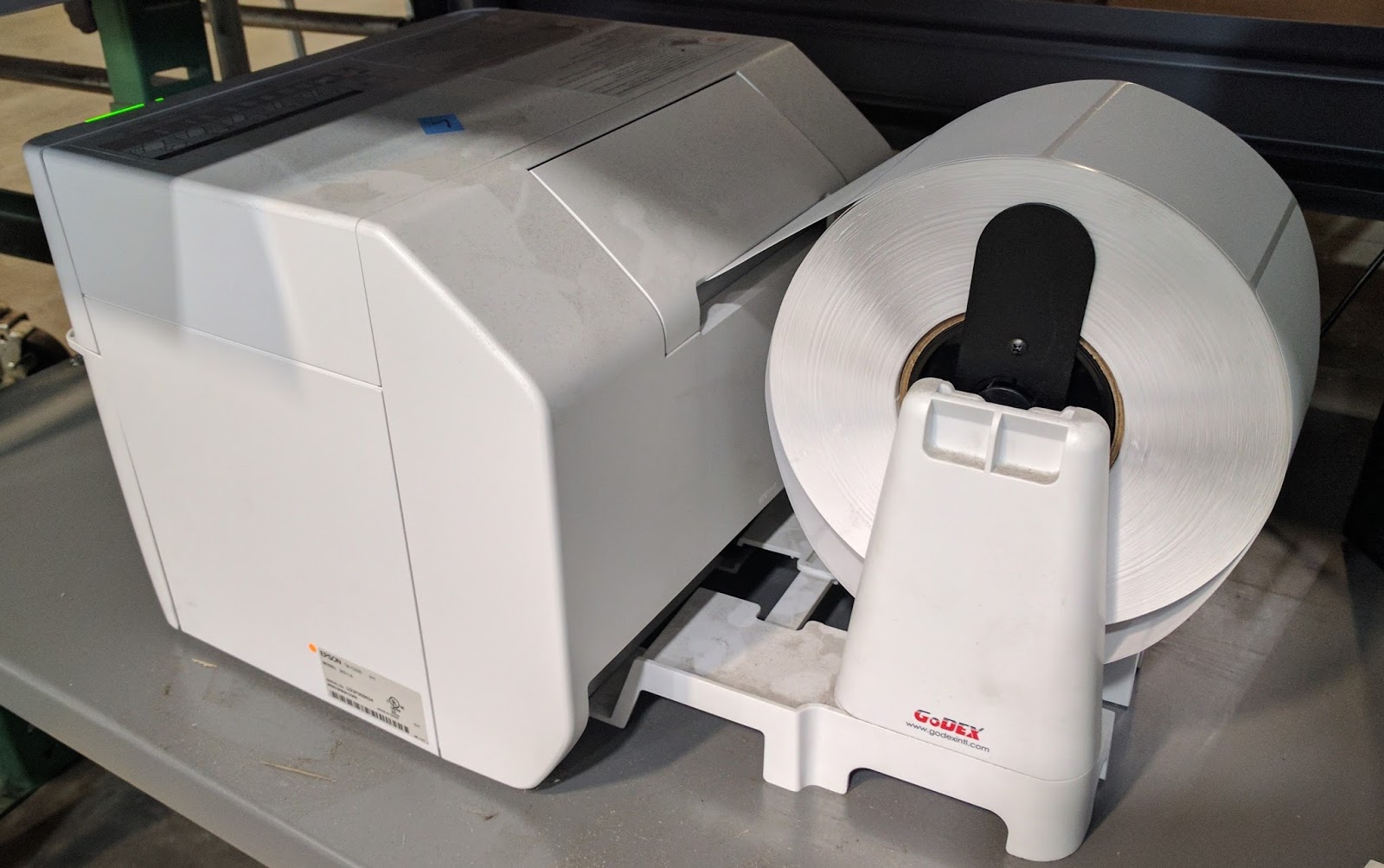 |
| C3500 with Inexpensive GoDex Unwinder |
But the real magic of the QuickScrews print on-demand color label solution is their database of products and their deployment of BarTender. According to Mark Buechler, Senior IT Manager for QuickScrews, “our Marketing department has spent a lot of time gathering information and taking pictures of many different fasteners for our database. We’ve worked hard not only setting up the structure of our database in Excel, but also adding the descriptors, color codes, and variable images associated with every single SKU we sell. It’s a process that will never end”.
In addition to the database, Mark has deployed BarTender, designing different label templates and setting up the network to pull the variable data, including the different text descriptors, icons and color codes to create the labels. According to Mark, “now each print station in either CA or SC accesses BarTender to print the labels required for each product. This solution makes it easy for our operators to label our products correctly. And the colors and icons make it easy for our wholesalers and customer to select the correct fastener.”
According to Elizabeth Sinclair, Manager, Verticals Marketing at Seagull Scientific, the creator of Bartender, “by using good data management practices in your labeling deployment as demonstrated by Mark and the Quickscrews team, you can create enterprise-wide efficiencies that save time, resources and money. Many companies use only the design component, and thus store data in label files. By integrating BarTender with a trusted data source, any changes are easy to make in one location rather than finding, opening, updating and saving every individual label. QuickScrews has deployed BarTender very effectively.”
Quickscrews has developed a great business model; becoming the subject matter expert in a relatively narrow field. This focus makes it easy for prospects and customers to purchase the correct fasteners. By adding a great print on-demand color solution, QuickScrews can now produce labels that make their products easy to use; both their channel and end users.
If you have a large number of SKU’s and considering print on-demand color labels, contact us. We’d love to help you build a great solution like QuickScrews.
Guy Mikel
855-962-7670
Easy To Do
Label printing can be difficult; I know. But label printing can be easy if done correctly. When the artwork matches the label size correctly, label printing is easy to do.

Nutriment.com (www.nutriment.com) believes that success in the nutrition business is predicated upon knowing what customers need to help optimize nutrient intake; and to help address specific health problems. Nutriment.com has the distinction of offering formulations with the most comprehensive ingredients lists—highly potent formulations with nutrients chosen to work together so that the final effect is greater than the sum of its parts.
Joint health, male enhancement, vitamin/mineral blends and sleep aid formulations are just a few of the products they offer, and their list continues to grow. All ingredients chosen for these specific formulations are only the purist, highest in potency and scientifically validated by clinical research. Nutriment.com uses only GMP (Good Manufacturing Practice) certified facilities to produce its formulations. This requirement assures a safe and pure product that you can take with confidence.
When first contacting Peter Baker, Owner of Nutriment, I learned he needed a printer for producing short runs of labels for new products. “We launch new test products all the time,” said Peter. Continuing, “Some of these new products generate demand; some don’t. Once I have a large demand, we’ll purchase preprinted labels. Until we have a winning product, we don’t want to purchase a large supply of labels that may never be use.”
Given that Nutriment needed to produce a limited run of labels at a time, I offered to send samples from both the C3500 and C7500G printers. The C3500 is a very affordable label printer; the C7500G has much higher print resolution. We discussed also the L301 (http://colorlabelsondemand.blogspot.com/2017/02/l301.html) and the LX2000 (http://colorlabelsondemand.blogspot.com/2015/06/lx2000-full-bleed-color-label-printer.html) as well. But the ink costs would be higher to produce labels for these printers. For the Nutriment application, the C7500G was the best choice.
To produce these samples, Peter sent me artwork setup perfectly to work with a 2” x 6” label.
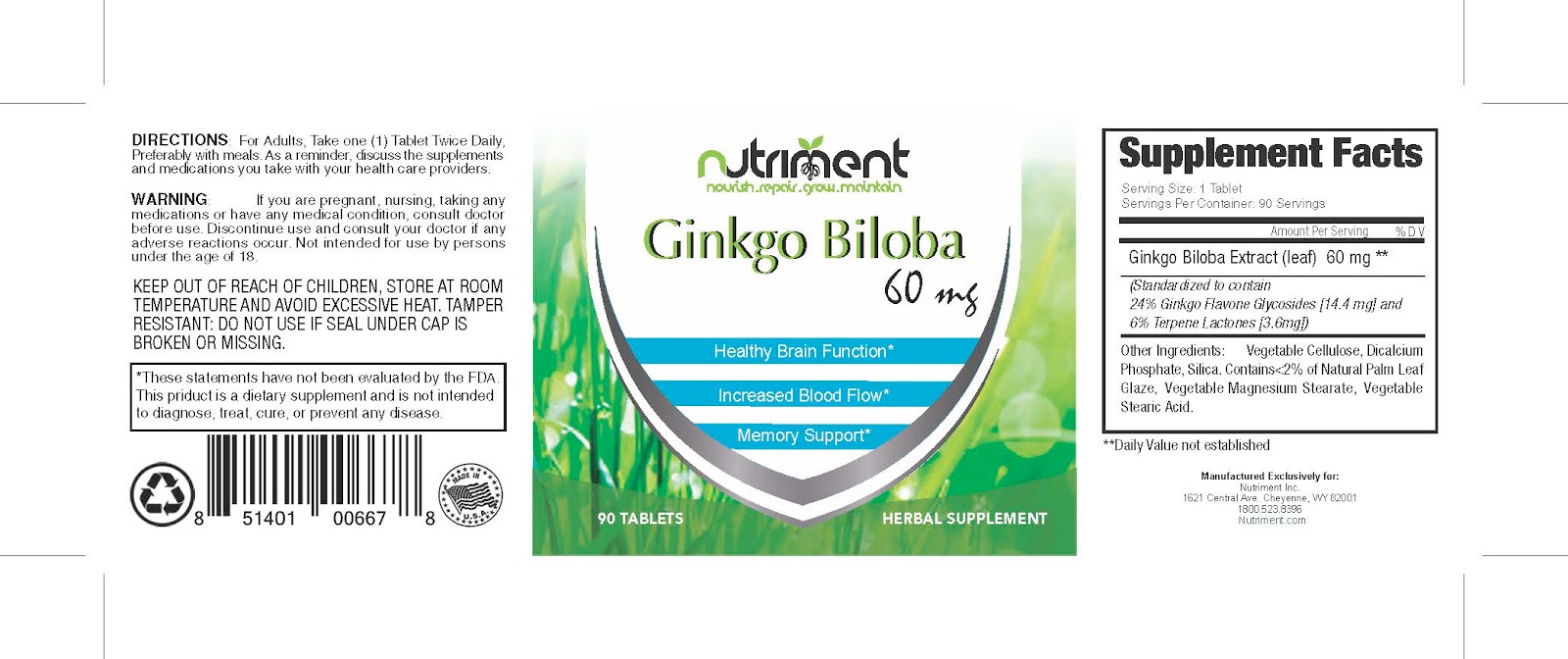 |
| Nutrient Label PDF |
Notice how the label is designed with the marks setting out the location for the corners of a 2” x 6” label. When printing these labels at the “Actual” size using Adobe Reader or Acrobat, the preview shows exactly how the label will look.
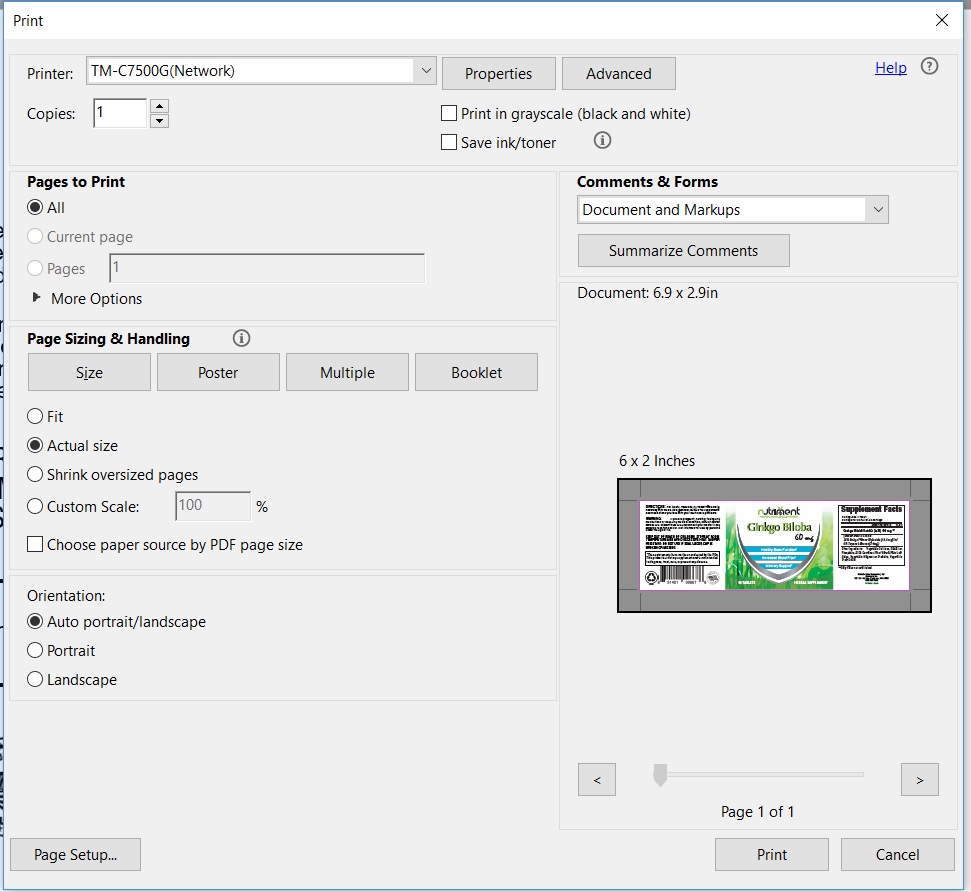 |
| PDF Label Preview |
For the most part, we don’t carry inventory of labels required to print all the possible sizes and types customers would want. But in this case, I checked with our plant, who happened to have a roll of 2” x 6” and 2.5” x 6” gloss poly labels in inventory. So I agreed to print some test labels for Nutriment.
Once I received the labels from the plant, I printed 7 different labels. On the first label, I found that I had to move the print slightly down and change the boarder setting to .06” to get the label to print exactly as required.
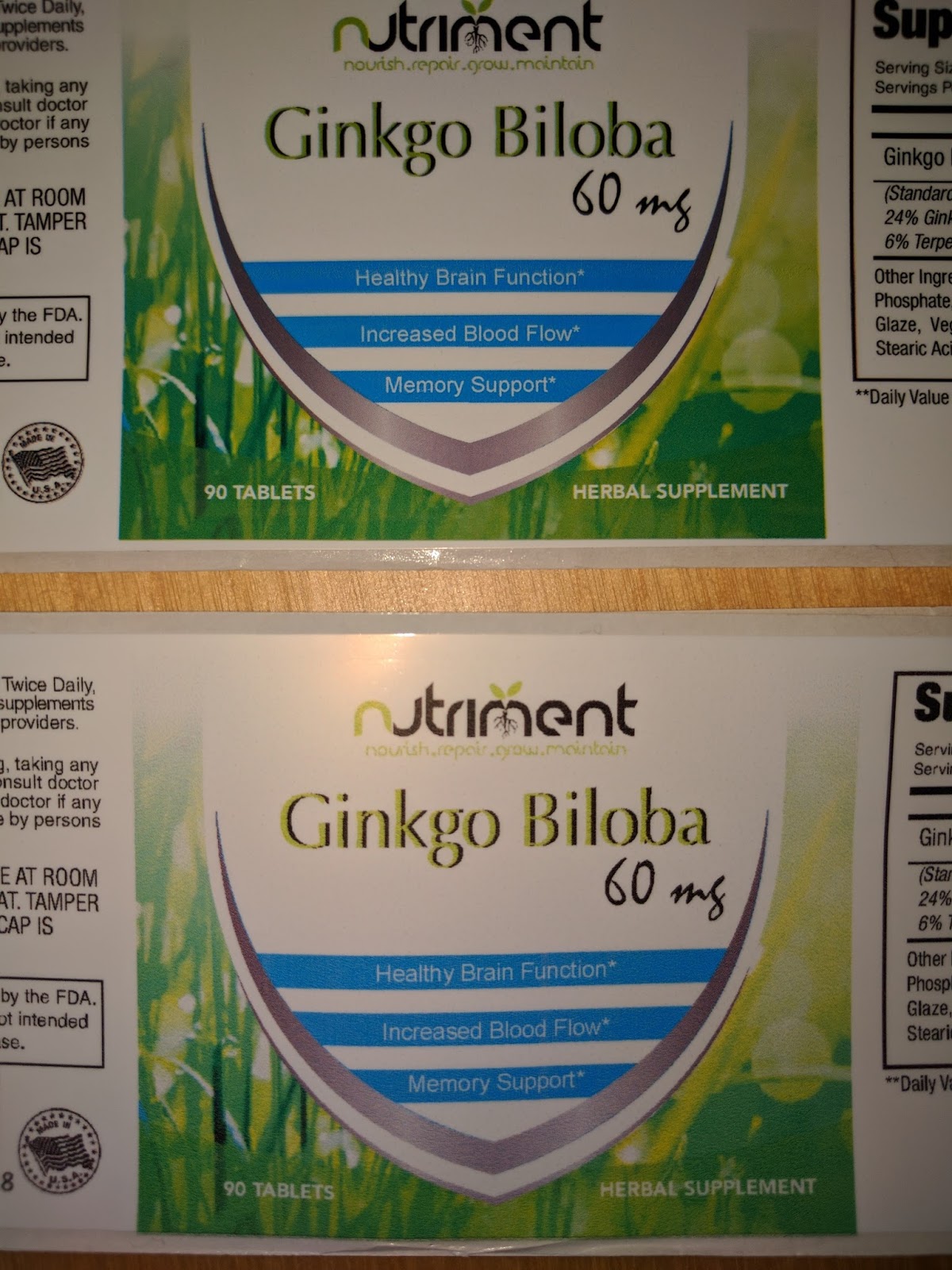 |
| Label Horizontal Adjustment Example |
We then packaged up the test prints and sent to Peter.
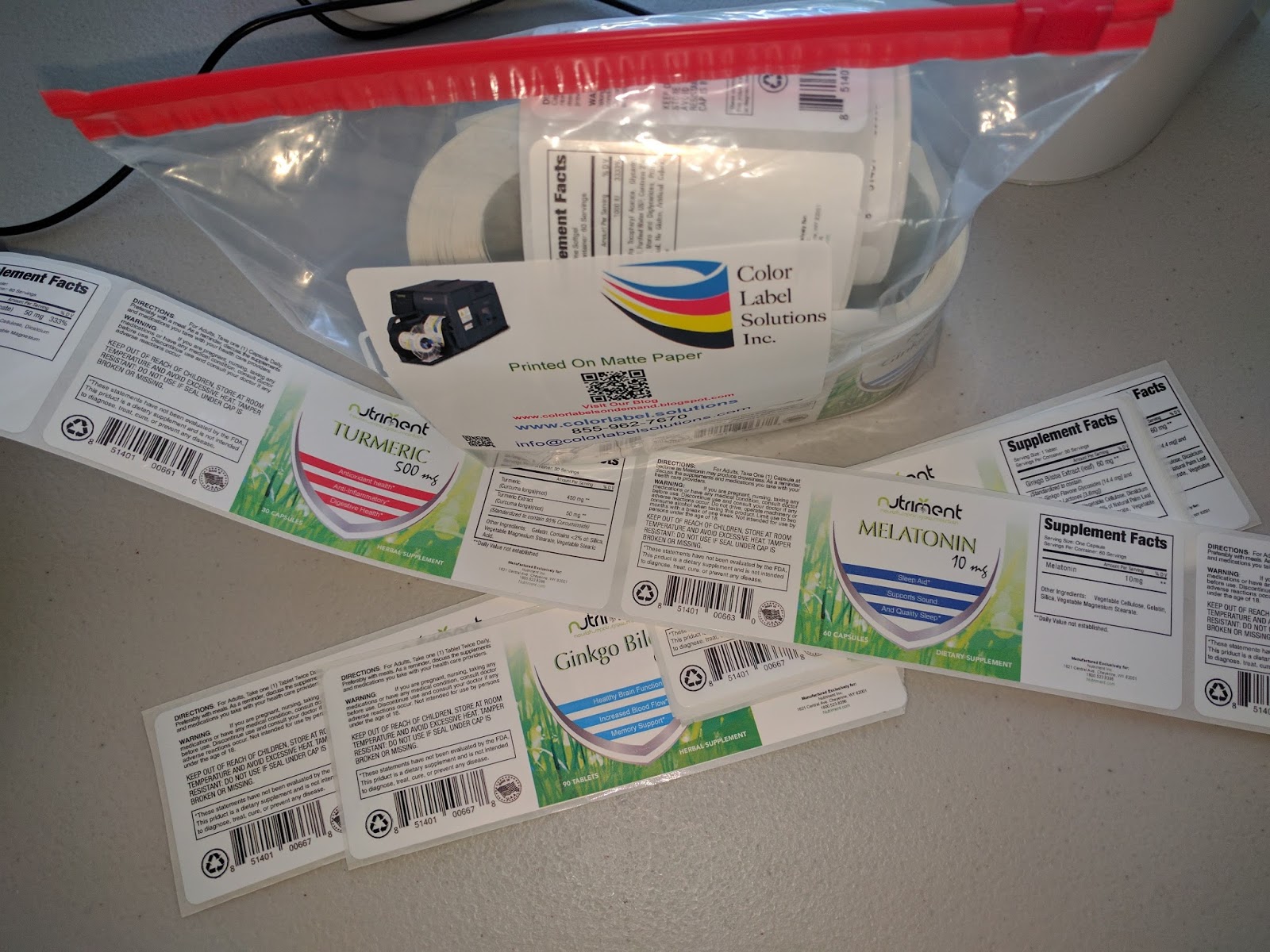 |
| Nutriment Label Prints |
With the correct artwork and label sizes, printing great looking labels is easy to do. Perfect for an application such as desired by Nutriment, printing labels as need for their prototype products. Companies launching new products all the time like Nutriment, printing on-demand color labels make good economic sense.
If you want to produce great looking labels easily yourself, contact us. We’ll help you get started printing labels quickly and easily.
Guy Mikel
855-962-7670
BenchMax
BenchMax Label Applicator (https://greatengineering.com/benchmax/) will enable you to use any label (or 2) on any round container larger than 8 mm in diameter. With the Small Container Adaptor, the BenchMax makes it possible to label containers down to 8 mm in diameter. And the Orientation capability scans the container for a feature, to insure labels are applied in the correct orientation. Finally, you can adjust the rollers to apply labels to round containers with ridges or other features.
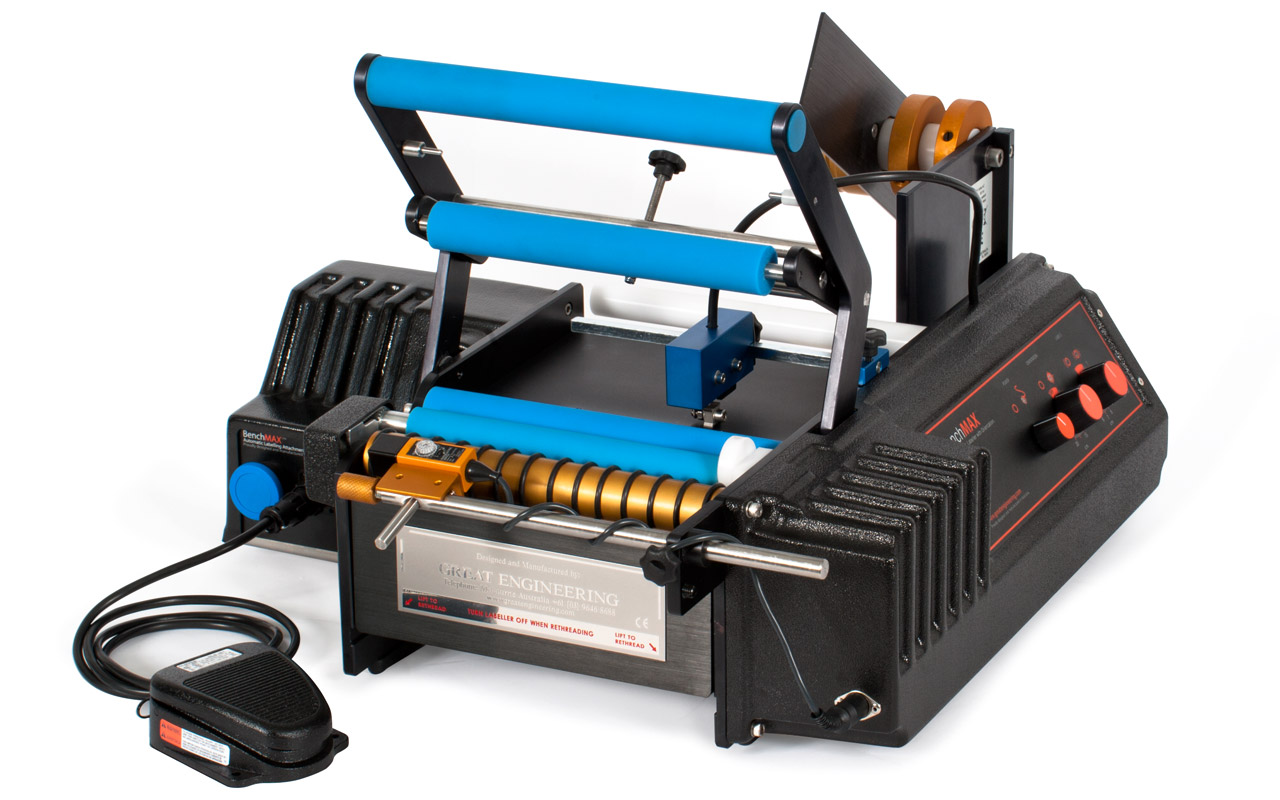 |
| BenchMax Label Applicator |
More important to me, however, was the fact that you can now integrate the BenchMax into the C3500 and C7500 for on-demand color label printing and application. This capability makes the BenchMax the only off-the-shelf label applicator available for integration with a color label printer. I first wrote about this capability after WestPack 2017: http://colorlabelsondemand.blogspot.com/2017/02/westpack-2017.html
When I received my BenchMax, I was pleasantly surprised how well the unit was packed for it’s shipment from Australia to the US.
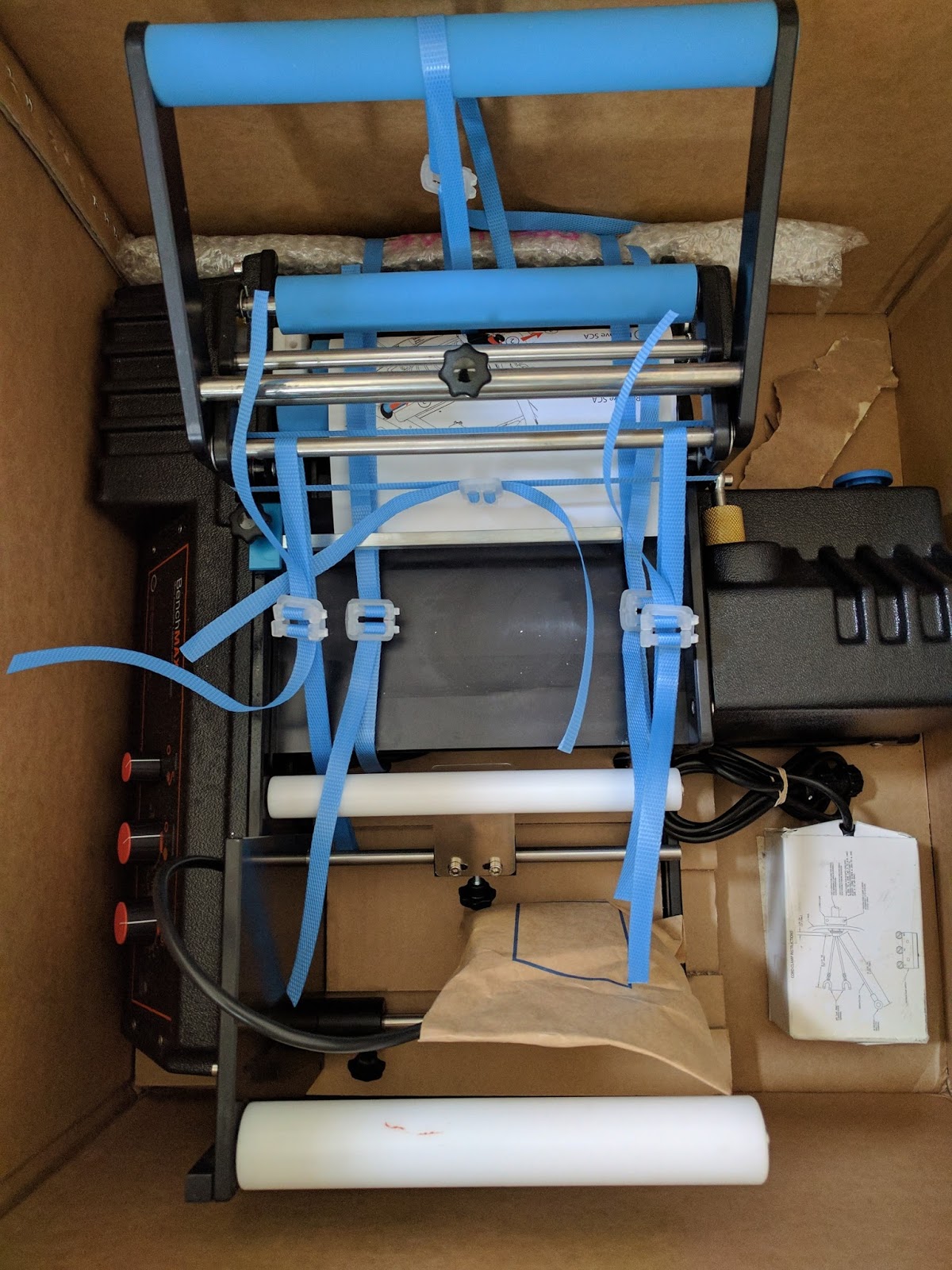
After unpacking the BenchMax applicator, I attempted to thread the supplied labels through the machine. You can download the directions here: https://greatengineering.com/pdf/BenchMAX_BenchMARK_Manual.pdf
And be sure to watch this video on setting up the BenchMax first. It’s important and helpful:
As the machine ships with the small container adapter in place, I made a mistake on the threading. Therefore, I decided to remove the small container adapter before moving forward.
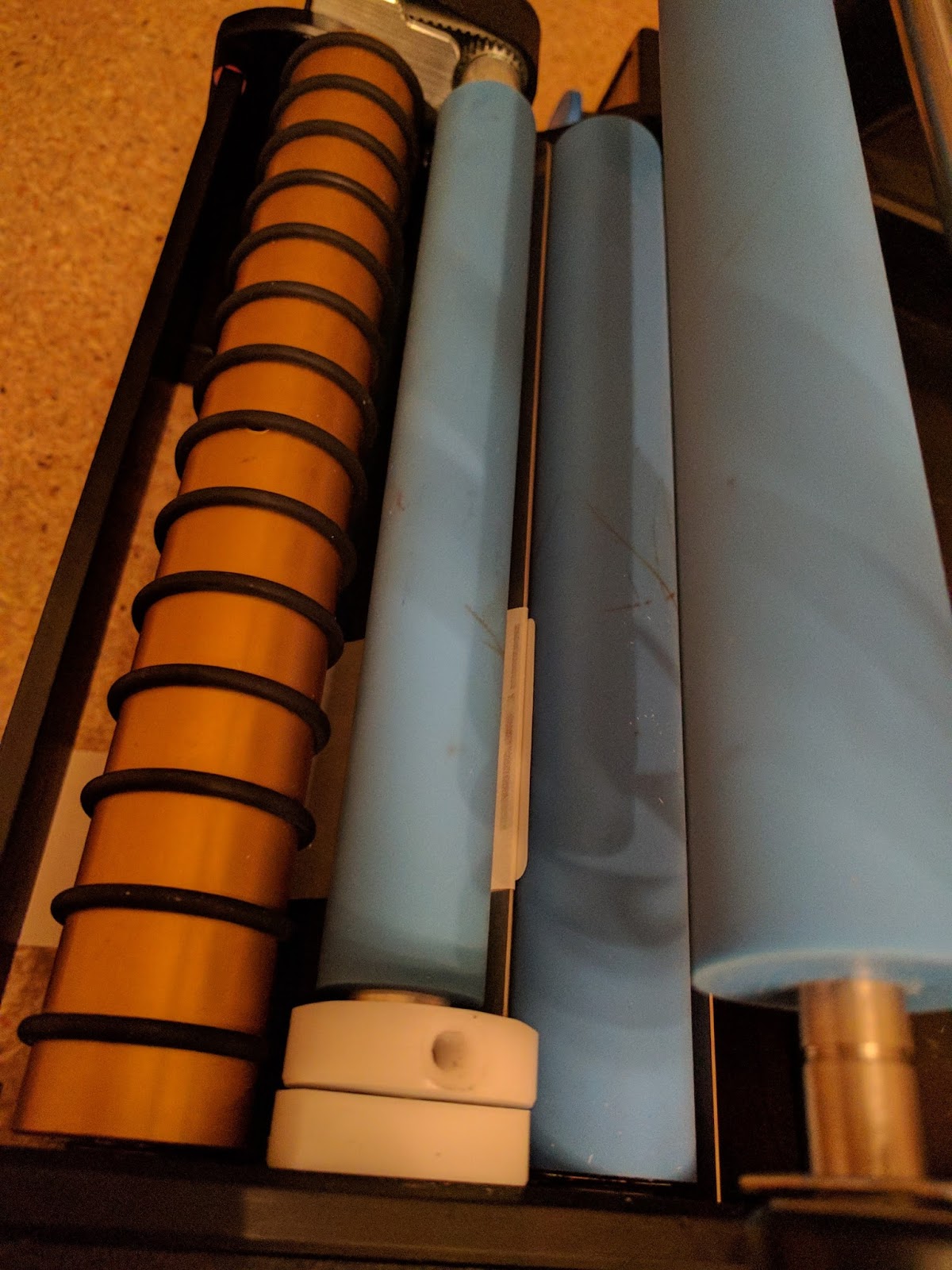 |
| BenchMax Small Container Adapter |
But I had a heck of a hard time removing the adapter. To remove the adapter, you need to remove the Hex screw shown below and the knob.
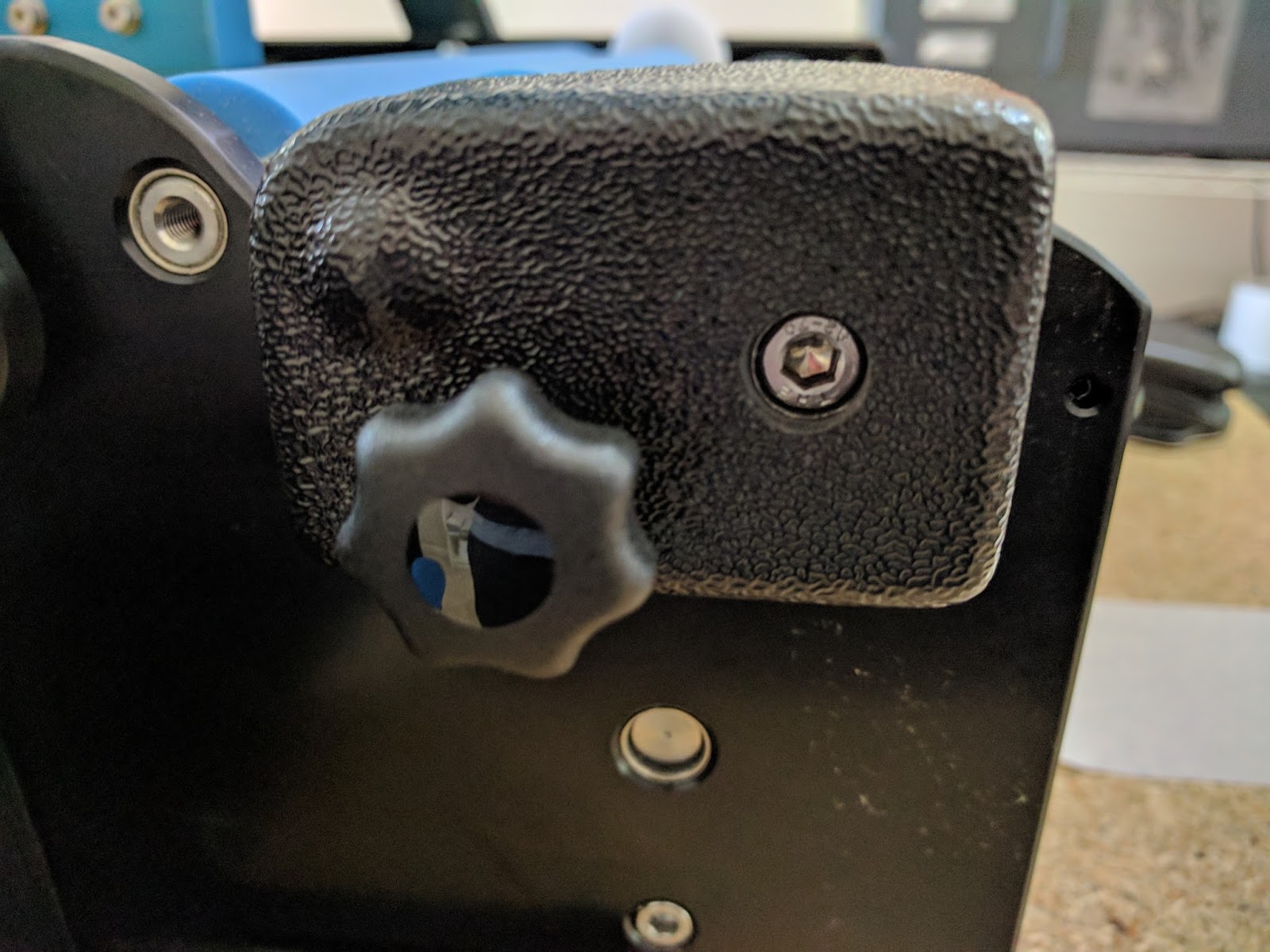 |
| Small Container Adapter Screw |
When I tried to remove the screw, the adapter would turn, and not release. I believe this problem says more about my mechanical skills than the adapter. Once I held the adapter with the palm of my hand, and turned the Allen screw, the came off. With the adapter off, it was easy to thread the labels through applicator.
After threading the labels, I had to set the gap sensor. Frankly, I made a mistake in this step as well. I could not get the provided labels to apply correctly. You need to make sure the sensor is positioned off a few mm from the leading edge of the first label. This position below worked great.
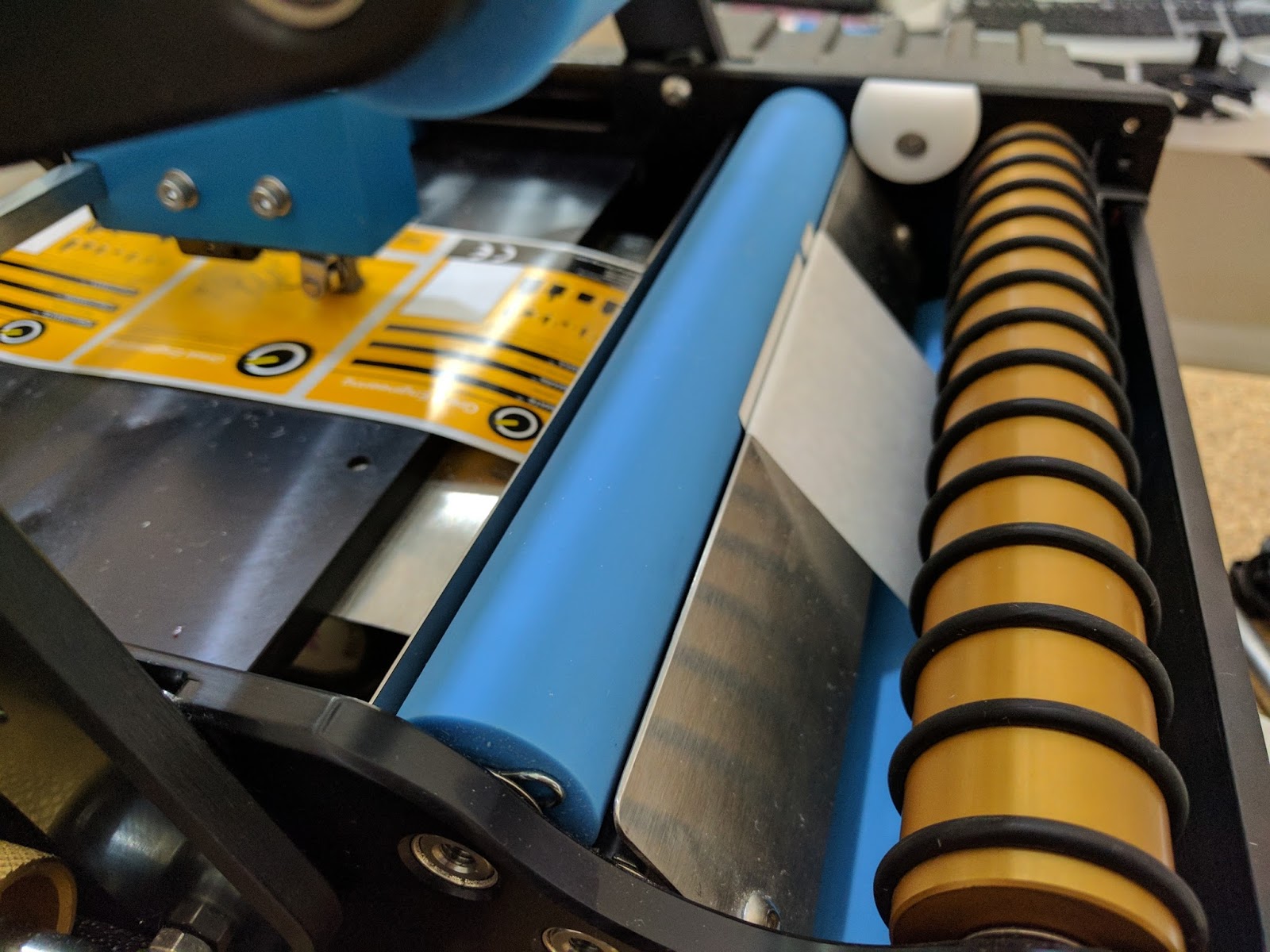 |
| BenchMax Label Leading Edge Exposed & Sensor Setting |
And found the top of form on round labels as well:
Once I got the sensor set correctly, I was labeling containers. Even applying two labels to one bottle.
(Note to self: get some nice looking, unused round containers).
The BenchMax makes placing two labels with the correct spacing on one bottle easy to do.
After figuring out the applicator portion, I integrated my C7500G with the BenchMax. Following the instructions for the Interface was easy; get the instructions here: https://greatengineering.com/wp-content/uploads/2017/03/interfaceInstructions.pdf
And the included label guide instructions as well: https://greatengineering.com/wp-content/uploads/2017/04/GuideInstructions.pdf
I thought the label guide worked well; and may work better using fanfold labels:
 |
| BenchMax Label Guide |
And in minutes, I was printing and applying labels to large containers.
And by reinserting the Small Container Adapter, I was printing and applying labels to smaller round containers:
And here you can watch the printer respond to the commands from the interface:
When you first start to integrate the printer/BenchMax, be sure to print 15 to 20 labels to have lots of slack in the system. As the printer backs up when starting to print, you need approximately 10” to 12” of loose labels. After printing this initial slack, the Interface does all the work. And I confirmed, the Interface works with Adobe Acrobat and BarTender, making printing and applying labels with variable data easy to do. Be sure to keep the software application open during application; so the Interface can continue managing the label printing.
If you own a C3500 or a C7500/C7500G and apply labels to a round container, you should consider purchasing a BenchMax label applicator. Now, you can print and apply in one step; increasing productivity and insuring your labels are applied correctly in the exact position every time. The BenchMax applicator with the Interface, Label Guide, Cables and freight costs approximately $10,000.
If you don’t own one of these printers, now you should consider purchasing both the printer and BenchMax applicator to improve your operations and look of your finished products. Contact us to discuss how the BenchMax label applicator fits into your operation.
Guy Mikel
855-962-7670
L301
I received my new printer the other day: the L301.
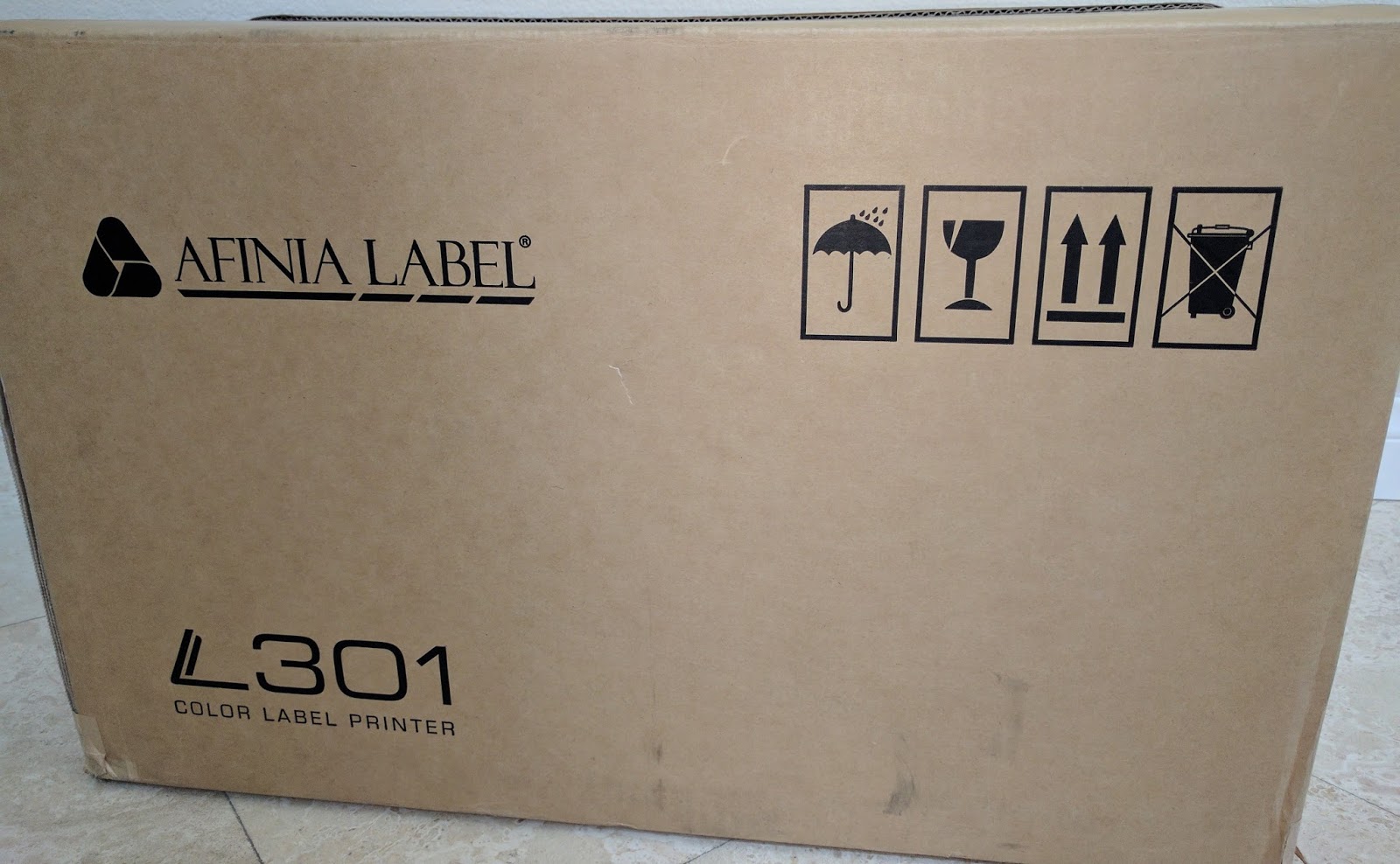 |
| L301 |
Selling at $1,595, the L301 is the lowest price 4+” color label printer available. The ability to print up to 6” wide labels at this price point seems like a very interesting proposal for small label producers. I wanted to try it; so here is my out-of-the-box report.
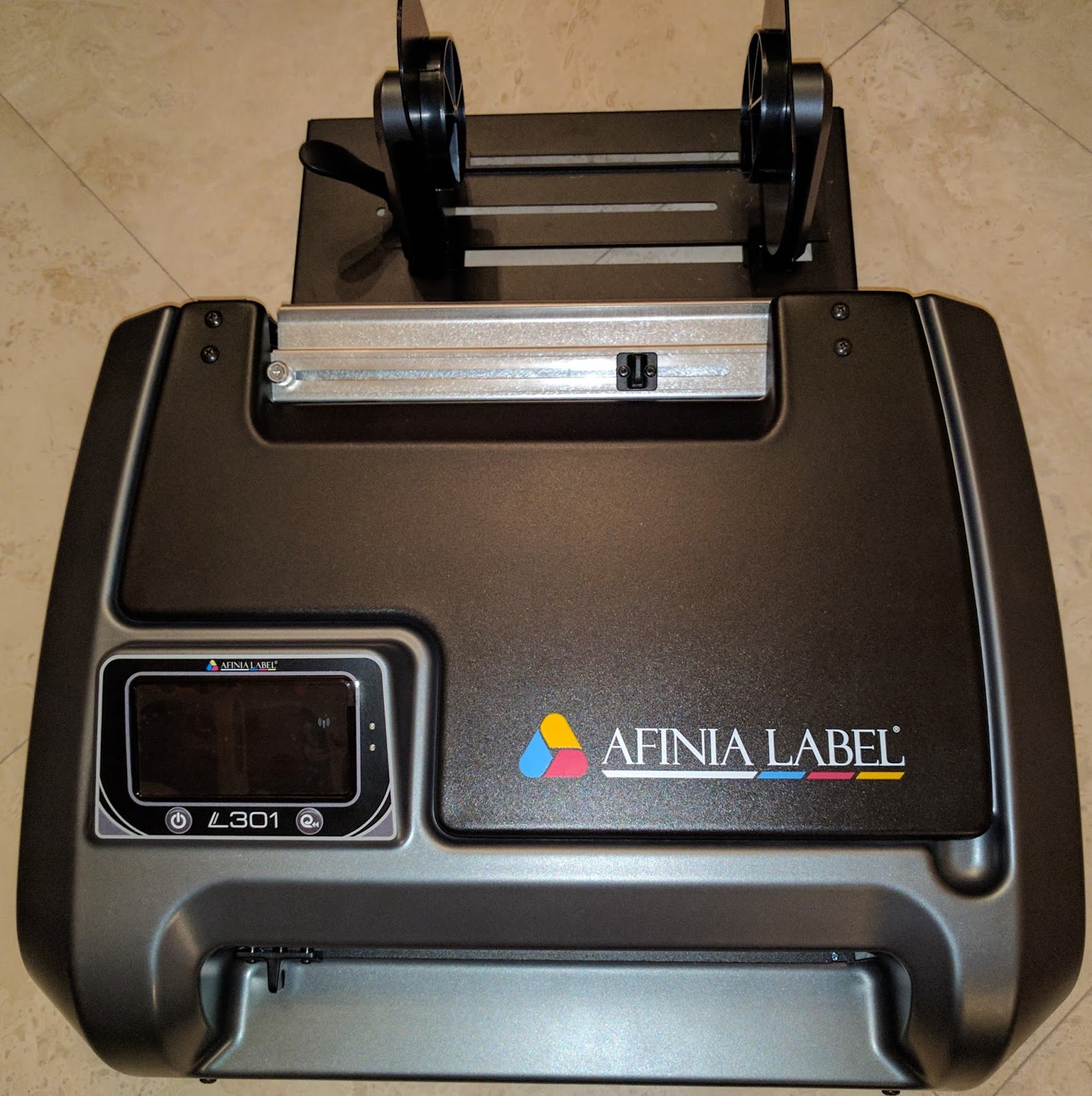 |
| L301 Label Printer |
Prior to taking the printer out of the box, I realized that I could not install the driver. I needed to get from Afinia a file of the driver to download. At the time, the driver was not publicly available. You can now download it here along with the instruction manual and quick start guide:
After unpacking, I started to install the printer by first plugging in the printer and installing the ink cartridges. Immediately I found discrepancy with the ink cartridge numbers. The manual called for Cartridges: #26548 and #26562. However the numbers on the bags were different. In the production units, the part numbers will be on the cartridge outer packaging.
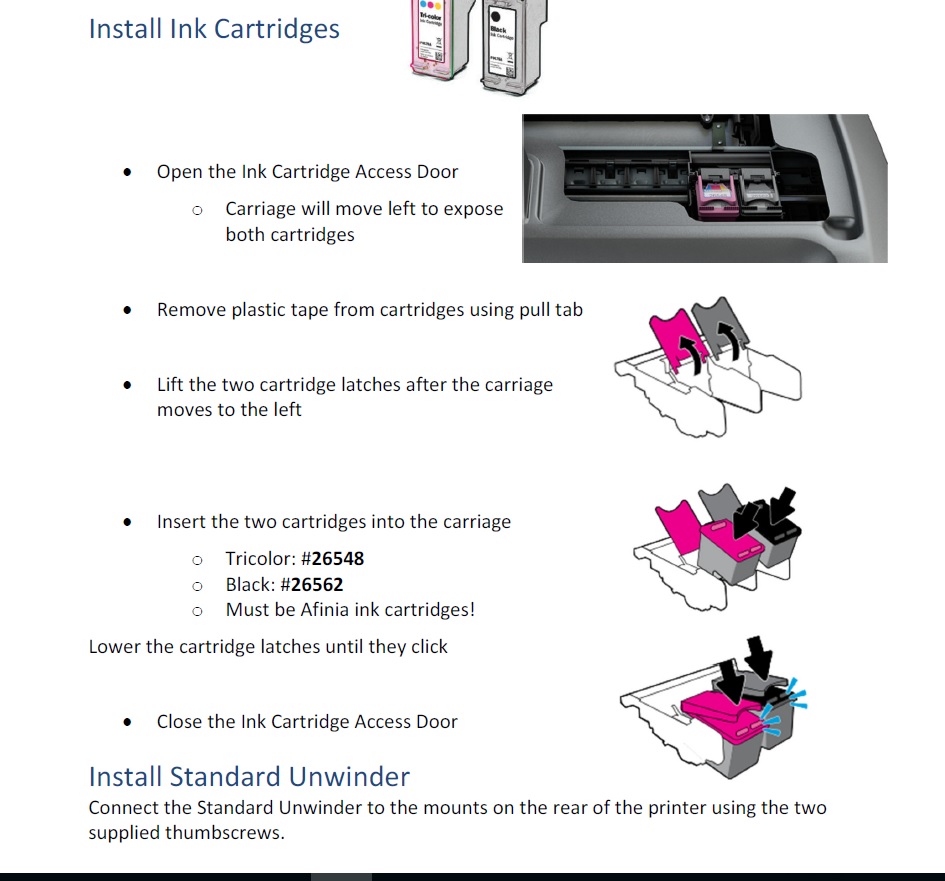
After installing the ink cartridges, I installed the driver. However, the driver does not install completely until the USB is connected. Afinia says do not connect the USB cable until the driver is installed.
Once installed, the driver looks similar to the Neuralabel 300x and Primera LX2000 driver. Both printers use HP print engines; so that makes total sense to me. Read my earlier post on the LX2000 here:
And 300x here:
Next, the instructions gave me information about the media. Narrowest width is 2”; and shortest label is 2”. A 2” x 2” label is pretty large for the minimum size. Afinia hopes to reduce the minimum size to 1.75” x 1” shortly. And the widest printable label is 6”. The printer uses a 3” core, and a max OD of 6”. I then installed the media on the unwinder which was a lot easier than on the VIP 495. Read my post about this printer here:
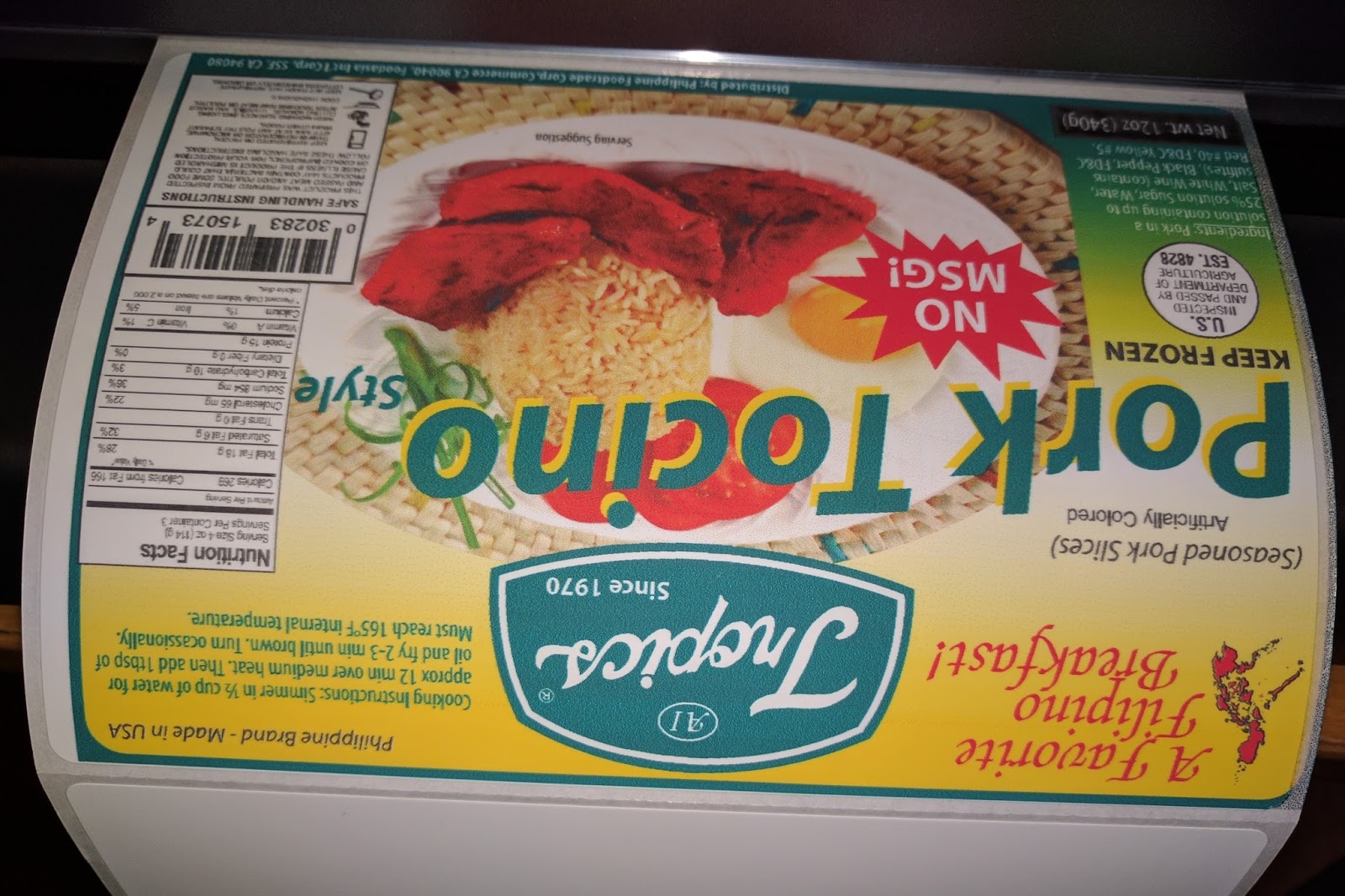
After inserting the paper, the printer pulled the label media into the printer and found the gap. I then printed my first 6” x 4” matte poly label. My first print took exactly 1 minute. And I did lose a label on my first print as the printer had to find top of form. Here is my first print on a matte poly coming out of the printer:
 |
| L301 First Print |
As you can see, my right side was printing on the liner. To adjust this print start position, I had to simply add space on the “Left Offset” in the driver, found on the “Settings” tab.
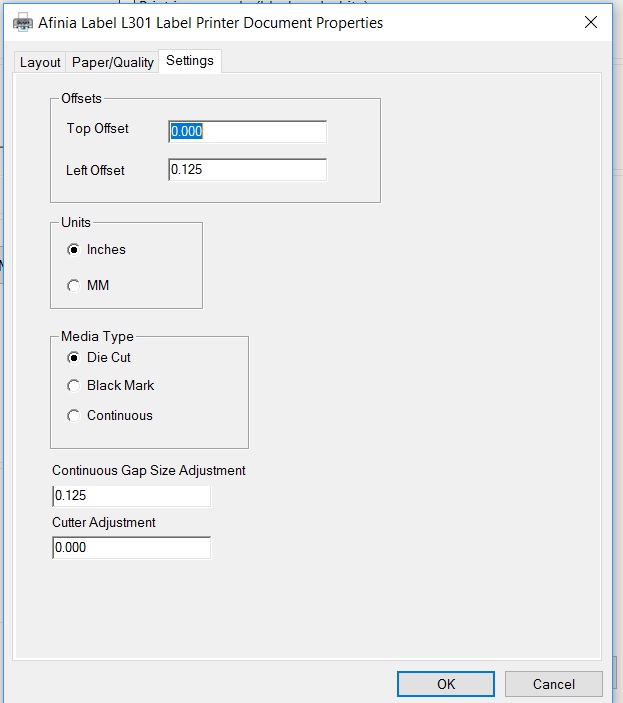 |
| L301 Driver Setting Tab |
On my second label, the time to print was cut in ½. Slightly less than 30 seconds to print a 6” x 4” label. And the Left Offset adjustment worked! Notice the difference in the location of the ink on the right side of the printer.
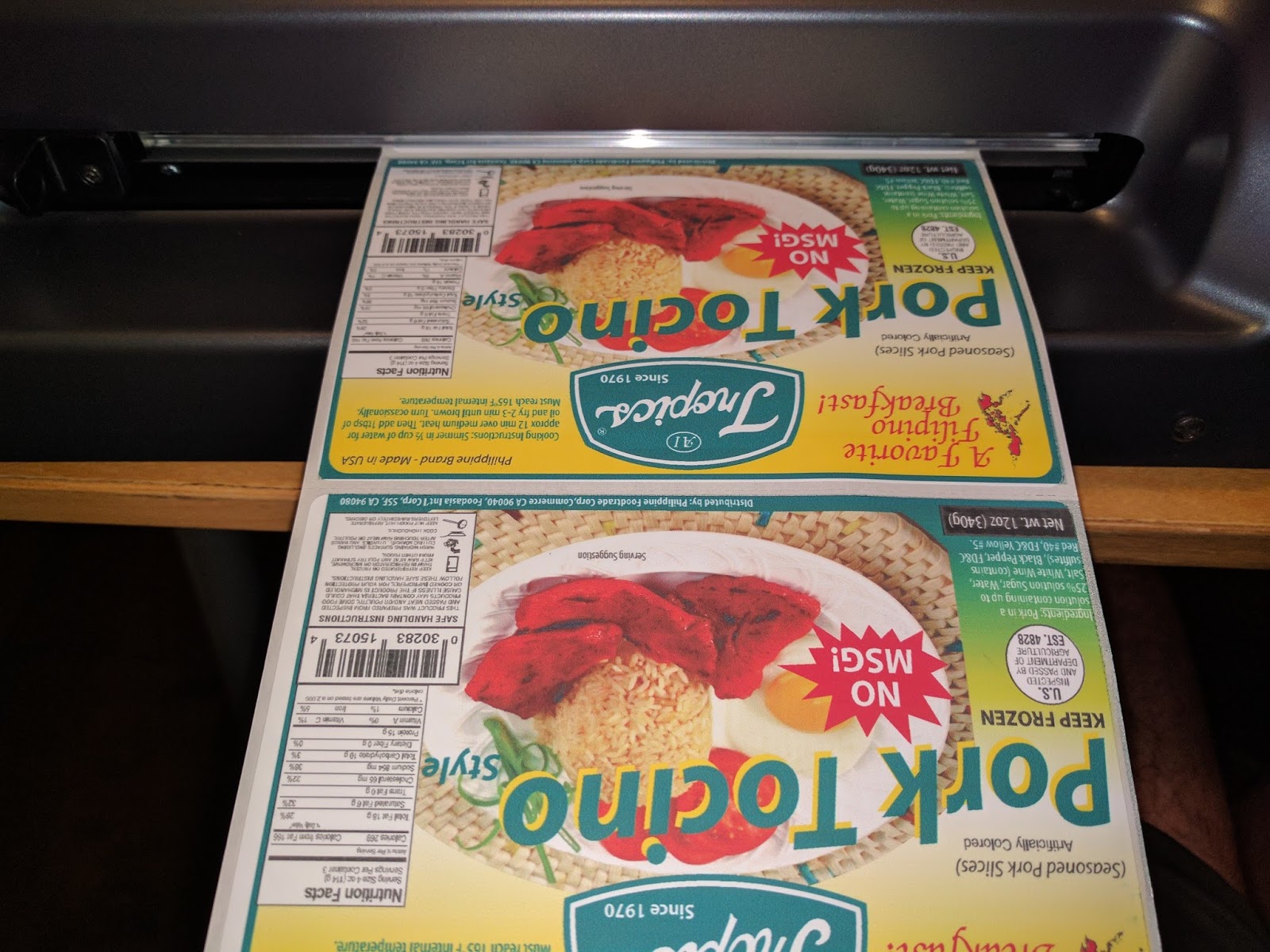 |
| L301 Printed Labels |
To cut, I just moved the cutter across the path of the web. Worked great. Looking at the cut position, I noticed I would want to add about a 1/16” of an inch. The cutter adjustment in the driver enables this configuration; but does not say which direction is positive or negative. I’ve learned later that positive ejects the labels out further.
Next, I printed gloss paper labels. First I used a 6” x 4” label with a .25” gap and blackmark. When I tried to print, it would not work correctly. After thinking about the problem, I realized the blackmark was directly in the gap; and may be fooling the gap sensor. When I changed to blackmark, the gloss paper label printed as expected.
However, the printed label had two issues. First the print output had lines.
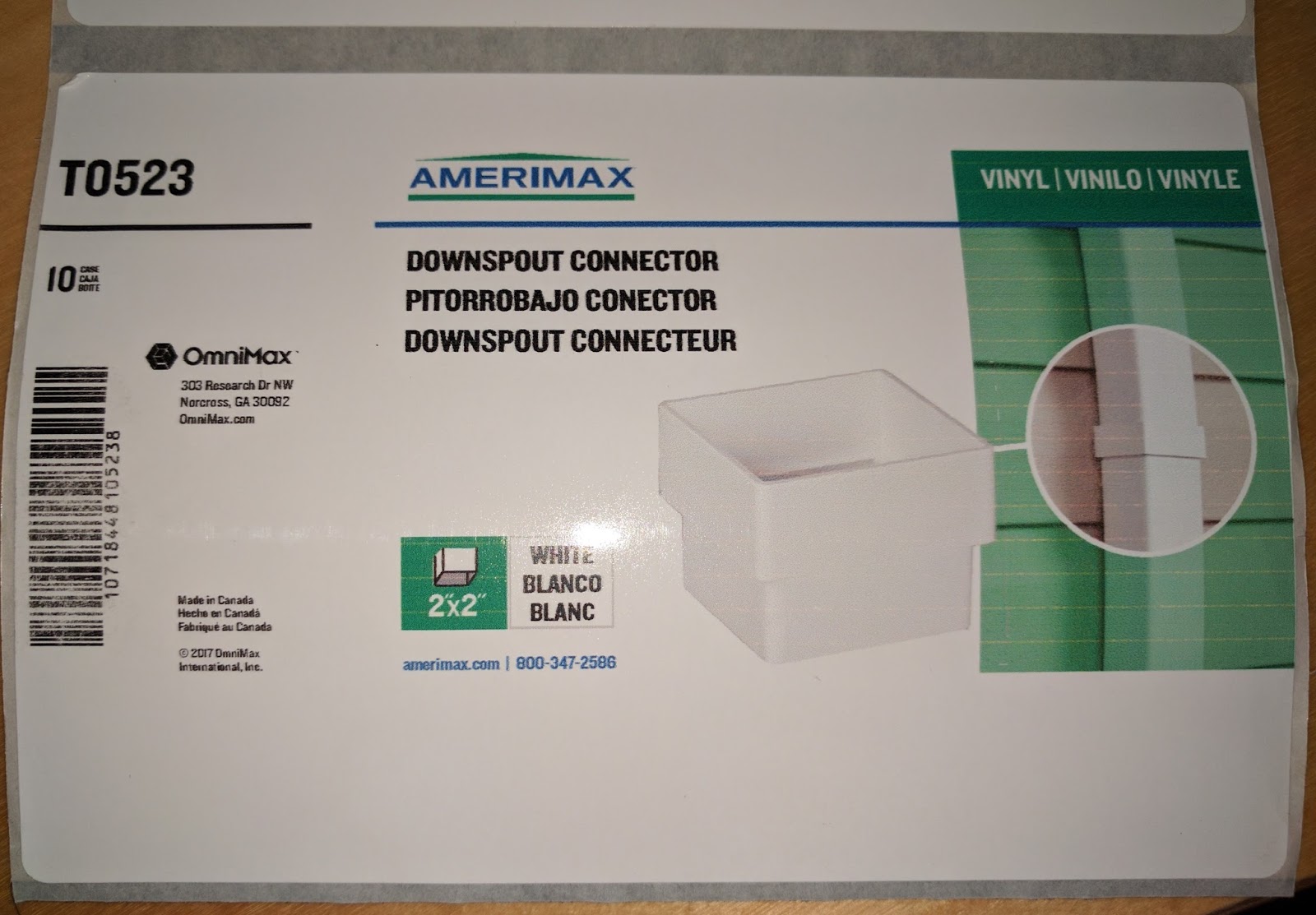 |
| L301 Label Needing Alignment |
By completing an ink cartridge alignment, the lines disappeared. Look at the Cyan block pre/post alignment.
 |
| L301 Alignment |
I’m not surprised by the fact the cartridges require alignment when you first use the printer.
Second, the black ink came off the gloss paper I tried first. Look at the barcode in the downspout label above. As the black is a pigment ink, gloss is a harder match. I tried our standard gloss paper; and it performed much better. The black ink did not smear.
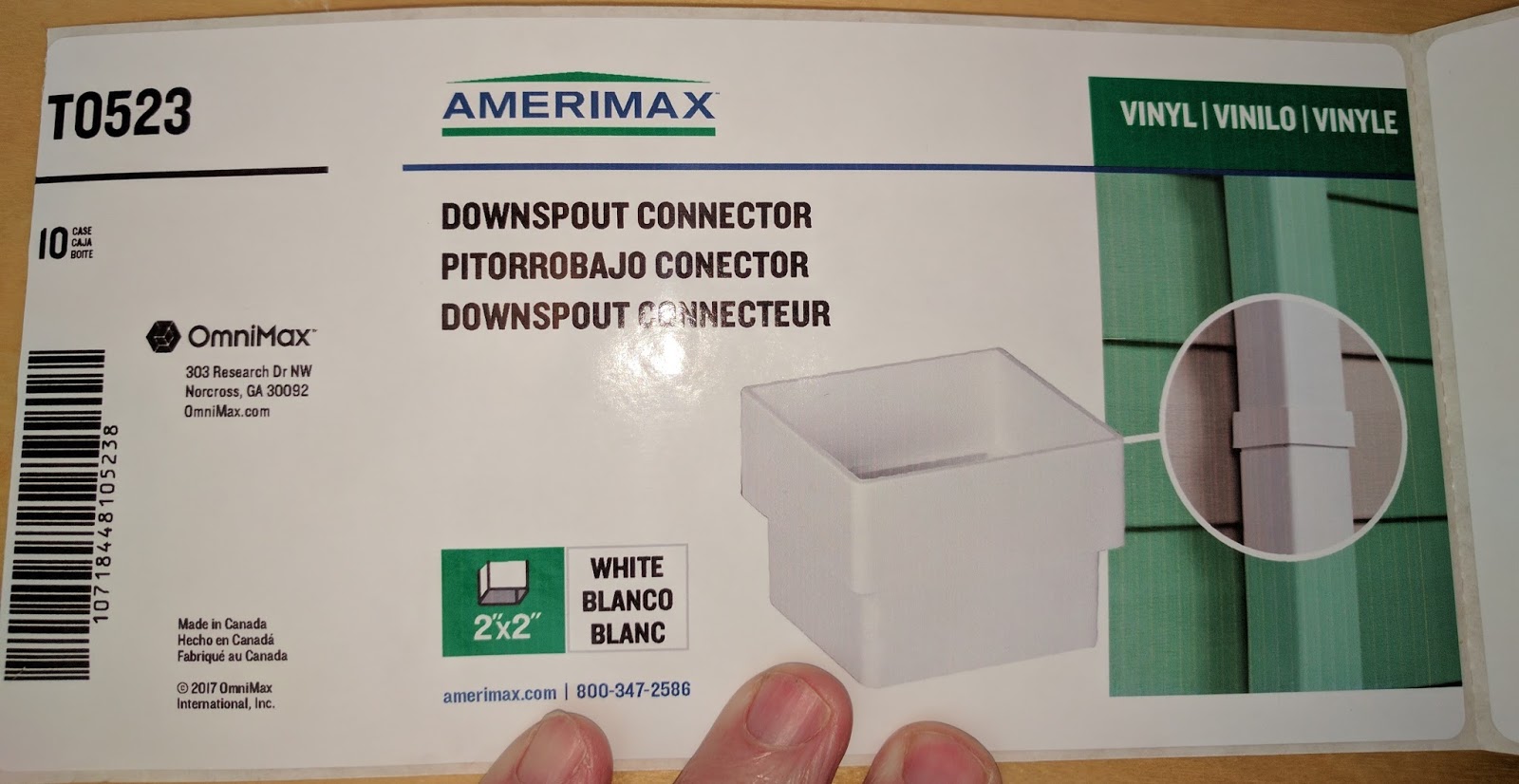 |
| L301 On Gloss Paper |
And the gloss poly printed very nice.
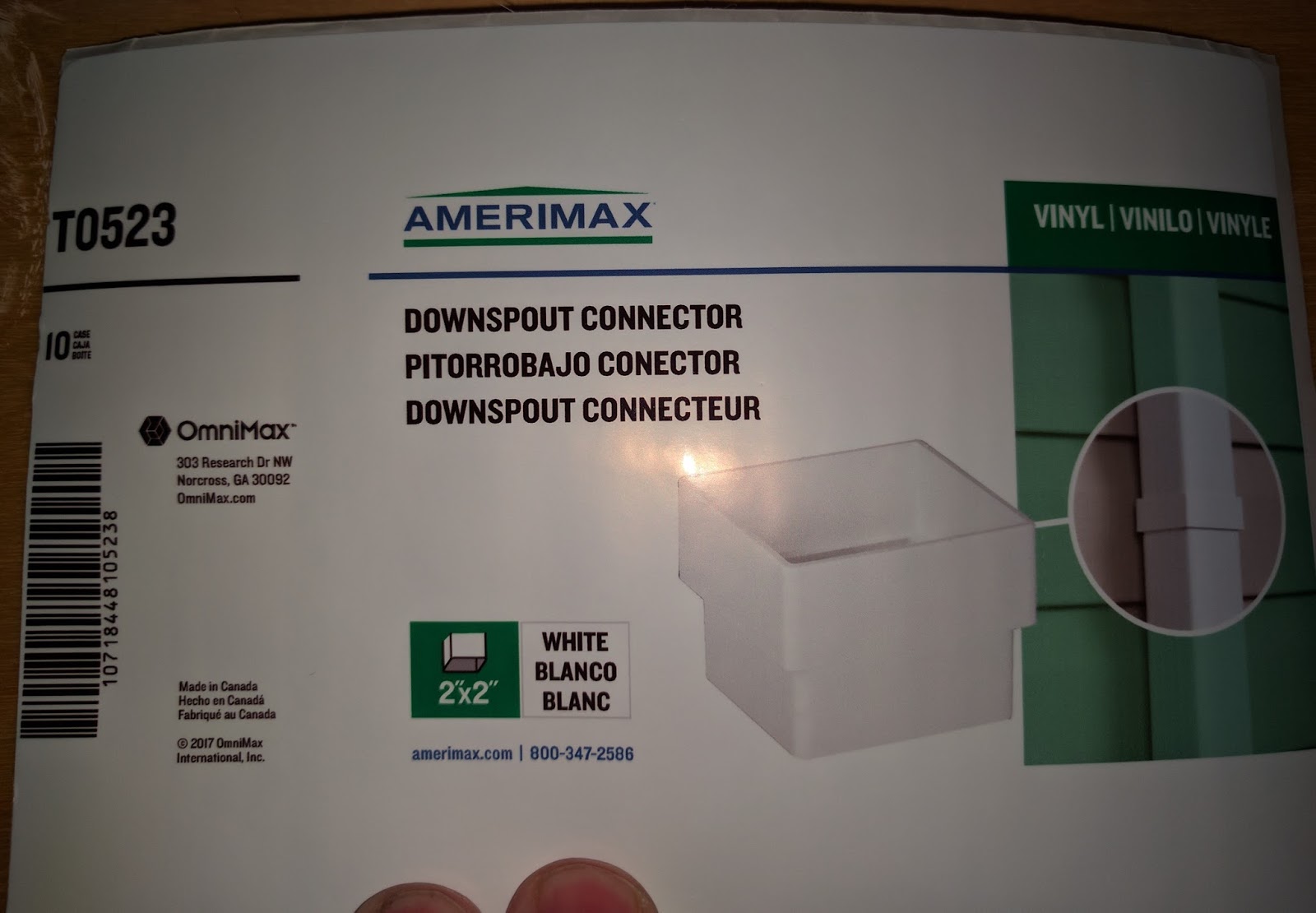 |
| L301 On Gloss Poly |
And I found the gloss poly labels waterproof; I was surprised by this result.
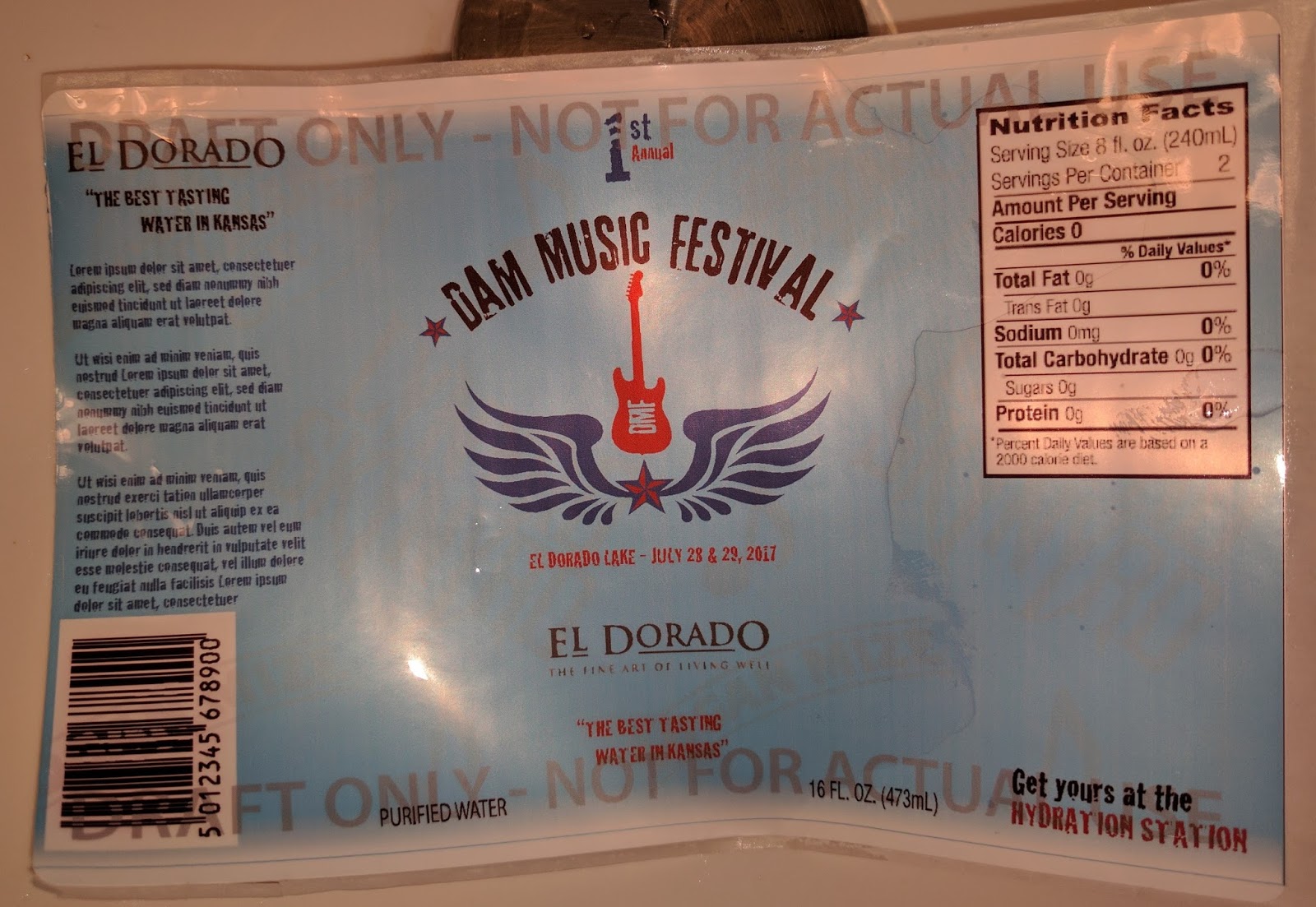 |
| L301 Water Resistant Gloss Poly |
On the matte paper labels, I found the material printed OK using the standard settings.
 |
| L301 Printed On Matte Paper |
Although both barcodes scanned, I though the print quality could be better. The colors and text looked very nice, however.
On clear film, I thought they printed great.
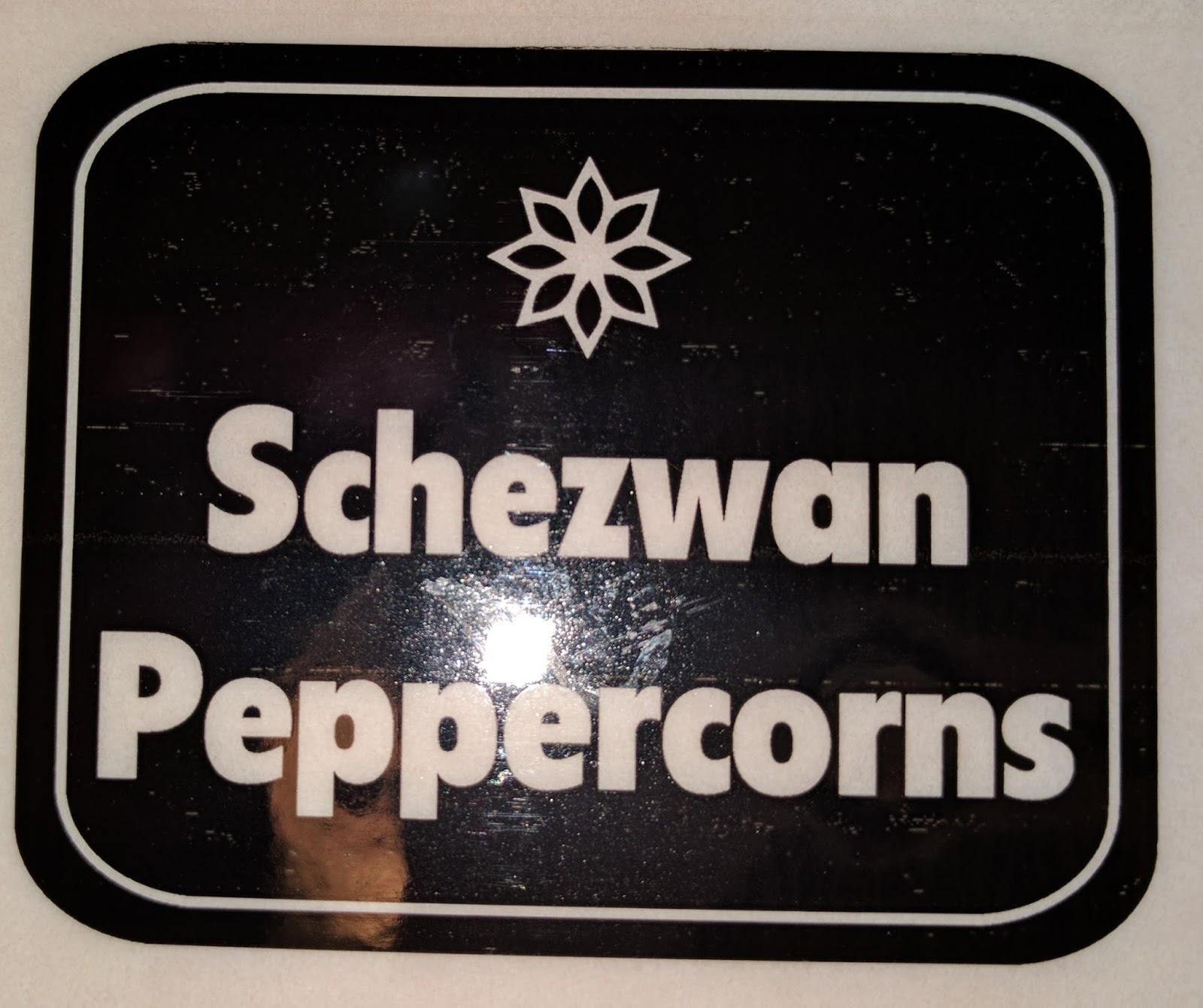 |
| L301 All Black on Clear Film |
But the ink came off easily in water. Not really an option.
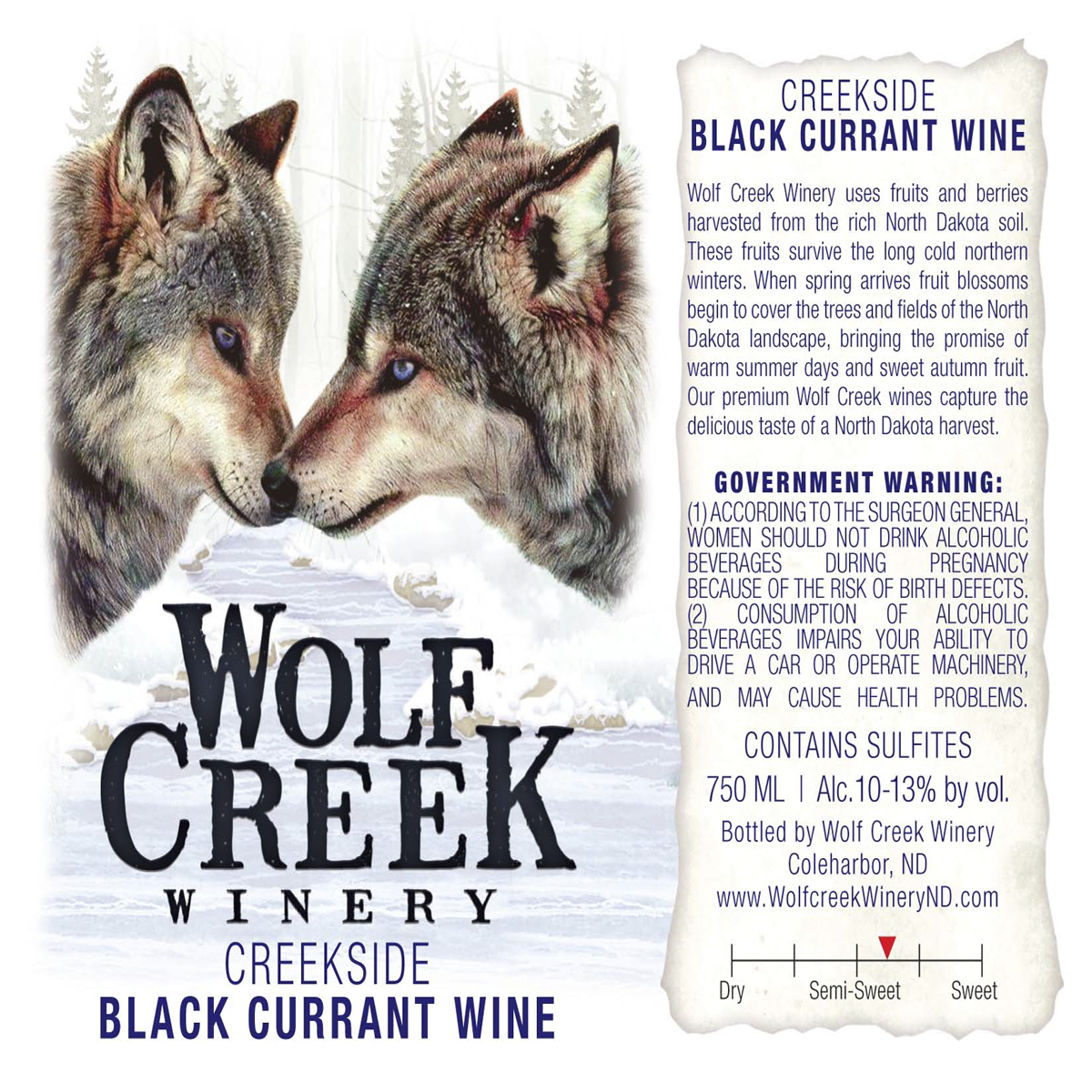
As for ink costs, the L301 is much more expensive than the C3500 or especially the C7500. For example, this artwork at 5.5” wide would cost ~$0.14 to $0.16/label.
On the LX2000, the ink cost of this label would cost approximately $0.05.
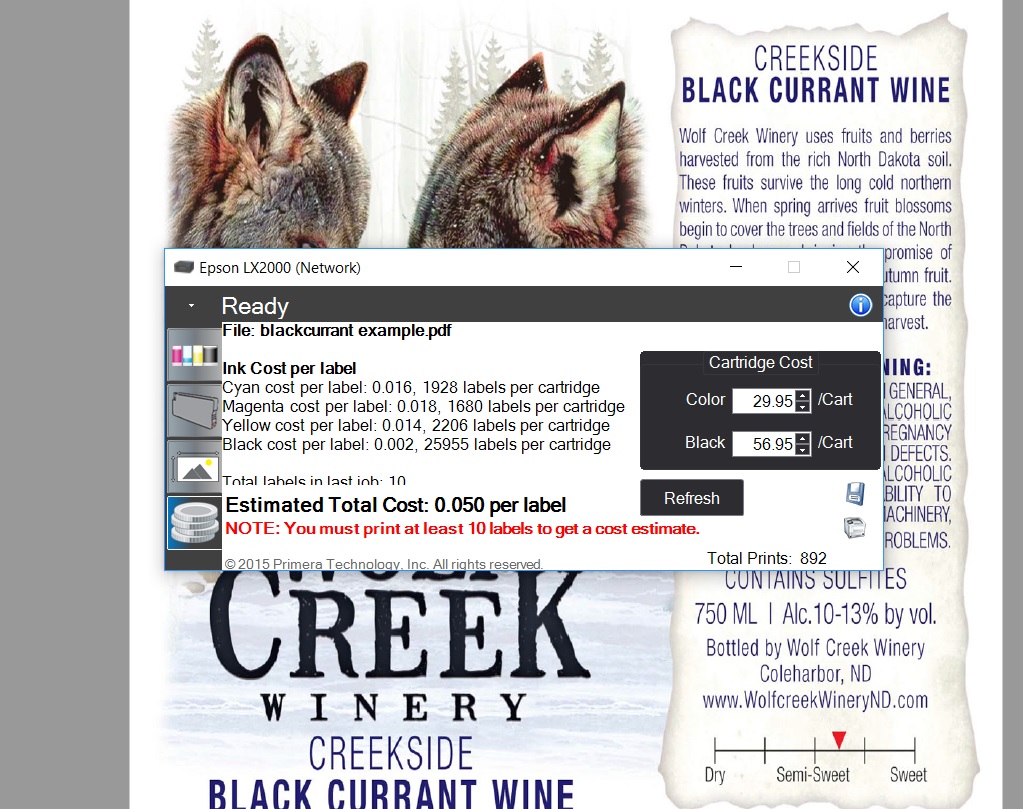 |
| LX2000 Ink Cost |
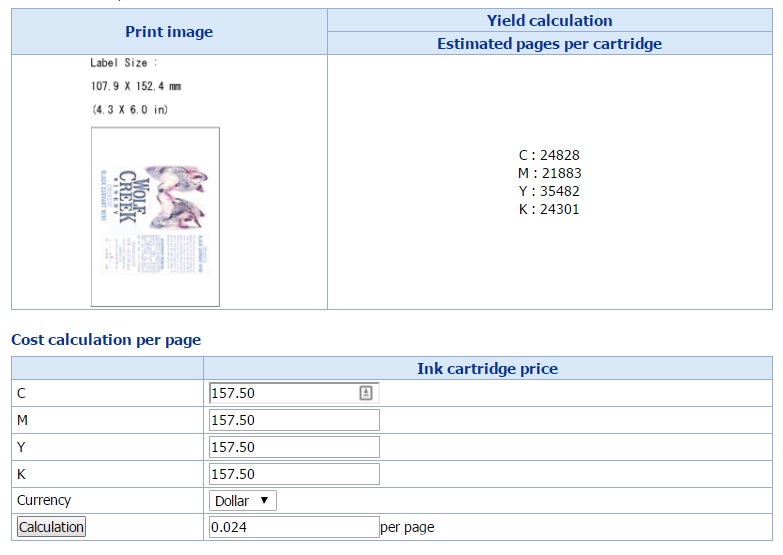
And the ink cost would be only $0.024/label for the C7500G at 4.25” wide:
According to Mike Atkins, Sales Manager for Afinia, “The Afinia Label L301 Color Label Printer is perfect for small and growing businesses. By printing In-house and on-demand, you give your company the flexibility to change your labels as-needed; to accommodate branding, ingredient, or government regulation changes. Powered by an HP thermal inkjet printing technology, the L301 will work well for small businesses wanting to print labels on demand.”
For the positives, the L301:
- Costs much less than competitive printers.
- Makes label printing easy to do.
- Prints great looking labels up to 6” wide.
As for the negatives, the L301:
- Uses expensive ink.
- Prints very slowly.
- Does not offer a networking option.
- Limits gloss media to selected options
Overall, I found the L301 as an affordable option to print low volume quantities of labels wider than 4.25” wide. At $1,595, the L301 is under ½ the price of the LX2000; the competitive option. You can purchase a lot of ink for $2,000+ dollars. For those businesses printing 10 to 20 labels per day, who need wider than 4.25” labels and want to limit their investment, the L301 is a good option.
If you are interested in learning more about the L301 or any other label printer, contact us to discuss your requirements in detail.
Guy Mikel
855-962-7670