Category Archives: Label Printers

No Risk Label Printing

This post is from guest blogger, Tim Semic, Support Manager from Color Label Solutions.

Would you like to provide a way for your employees or vendors to print labels that meet your exact specifications without the risk of accidentally making changes? 
How about printing labels from multiple computers? 

Printing labels from a web browser?  Even across the internet?

BarTender Print Portal
 If so then please read on…
Seagull Scientific offers two Bartender companion applications that enable you to print labels from a simple read-only interface.  Those applications are Bartender Print Shop, and Bartender Print Portal.
The user interface is basically the same between the two products, while the configuration is more complex for Print Portal.
Bartender Print Station is bundled with every edition of Bartender, while Bartender Print Portal is only bundled with the Enterprise-Automation edition.
Print Station provides a mechanism for printing labels within an easy to use read-only interface.  This configuration prevents employees accidentally changing or deleting labels.  Consequently, some companies may wish to have a “design” computer using Bartender Designer, and then another computer or two set up for print-only label printing.

BarTender Print Station
Print Station can be configured for full-screen and secured; effectively turning a computer into a print kiosk.  This type of kiosk would be great for printing badges, shipping labels, or static labels in a secured computer interface.

To learn how to configure Print Station, watch this video:

Configuring BarTender Print Station 

Print Portal offers different options for risk free label printing.  Elizabeth Sinclair of Seagull Scientific says, “Print Portal includes many features that make locating and printing documents quick and easy. Running on a web server, BarTender documents are available from any computer connected to the internet. With built-in security measures, administrators of Print Portal can require users to login to the site, and assign user permissions granting access to specific documents on the server. Print Portal’s intuitive interface lets users quickly locate the document they need to print and send it to the printer with a simple “click” operation.”

BarTender Print Portal
If interested in learning how to configure Print Portal, see this YouTube video. 


As Print Portal is more difficult to configure, the video is long; but goes through every step in the process to get your users, either internal employees or outside vendors, printing the labels you need.
To operate Print Portal, you’ll need an Enterprise Automation edition of Bartender; which is licensed based on the number of label printers you require.
Which edition is right for me?
The number of computers required to print labels will dictate which companion application to use.  If you wish to provide label printing in a read-only interface from more than three computers, purchase the Enterprise Automation edition of Bartender.  You will get security, ease of label printing, and some pretty heavy bragging rights too!
And contact us to help you configure Print Portal to work for you and your company.  Happy Printing!
Tim Semic
855-962-7670

Seattle Cannabis

While traveling in Seattle, I had the opportunity to meet two of our customers in the cannabis market: Green Rush Cannabis and Georgetown Cannabis.


Green Rush Cannabis, http://catchtherush.com/,   is a WA i502 producer-processor located in the scenic Snohomish Valley. They produce a clean, sophisticated crop that has become a preferred brand for a number of top shops in Washington state known for their consistent terpene flavor, high quality, and deep impact.  GreenRush Cannabis is a recommend brand by expert budtenders.

Green Rush Cannabis
Green Rush Cannabis
Personally, I found Green Rush’s growing rooms, very clean and professional.
Mark Flanders, owner of Green Rush Cannabis, and I first met at Cannacon Seattle in February 2017.  At the time, Mark was looking for a means to print labels for their products with their logo, text and variable data.  Initially, Mark was looking for 4×2” and 3×2” matte or gloss paper labels produced on an affordable color label printer.  Based on these requirements, I recommended the C3500 printer.

Mark Flanders, Green Rush Cannabis
After initially testing the paper, we found the labels “flagged” and came off the joint tubes. This flagging is not a result of the adhesive, rather the memory in the paper.  Based on these results, we switched to matte poly labels that have less memory and work better on the tubes.

Green Rush C3500 Label
In our discussions, I learned that Green Rush uses Grow Flow, https://getgrowflow.com/traceability and sales system.  According to Mark, “to produce our labels, we requested GrowFlow to design our label templates.  Inside GrowFlow, the variable data is pulled and sent to a format that is produced as a PDF.  This system works great for us”.
The Green Rush label artwork is perfect for the C3500.  It’s a basic white label with a logo, text, barcode and variable data.  For this application, the C3500 works great.  And the integration with GrowFlow is a great addition, adding value to their customers.

Based on their success, Green Rush is expanding.  Mark says, “We’re setting up another location, to cultivate as well extract.”  Based on my experience, I can see why Green Rush is a success.
Georgetown Cannabis Company, http://georgetowncannabisco.com/, experienced team is passionate about the cultivation of their naturally grown cannabis.  They trim their buds to ensure quality and bag appeal.  Georgetown cultivates cannabis as natural as possible, and staying away from pesticides with the use of beneficial insects. Though innovative growing methods and their no shortcut approach, Georgetown strives to bring their brand, “Legion of Plume” of high quality, cannabis to their customers.

Georgetown Cannabis
Georgetown Cannabis “Legion of Plume ” Label
I met Mark Brown, CEO, of Georgetown Cannabis originally via one of our partners.  Initially, Mark was looking not only for a label printer, but a label applicator as well.  Mark and his team, especially, Kendall Brown, were requiring a high resolution printer for labels for their “Legion of Plume” branded products.  Based on their label printing requirements, Georgetown purchased a C7500G printer and matte poly labels.  I recommended matte poly given Georgetown’s production of a lot of prerolls, labeling their joint tubes.

Georgetown Cannabis Prerolls
After getting some gloss poly labels to test, Kendall decided to switch away from matte.  “We really like the way the colors look on the gloss poly”, says Kendall. Continuing, “We have found the gloss poly labels don’t flag, adhering to the tubes well”.
C7500G Preroll Labels

With a background in design, I really like how Kendall has produced the labels for Georgetown, maximizing the print output from the C7500G.  She is using the Epson ColorTone Matching assistant to help her chose the best color range for labels for Georgetown’s new hybrids.

C7500G ColorTone Matching Assistant Print Output
You can download the ColorTone Matching Assistant here: https://download.epson-biz.com/modules/colorworks/index.php?page=prod&pcat=35&pid=219

And I think these labels designed by Kendall and produced on the C7500G look great!

C7500G Printed Cannabis Labels
And Georgetown’s business is growing. According to Mark, “we’re growing, adding new dispensary customers all the time.  The branding and labeling of our premium products is helping our sale team grow our business”.
Green Rush Cannabis and Georgetown Cannabis are approaching their labeling differently; but both are successful in the marketing, branding and labeling of their products.  If you need help to insure your labels represent and promote your brand successfully, contact us.  We’ll help you find the best solution for your print on-demand color label requirements.
Guy Mikel
855-962-7670
“GE”–NOT “G”

As of August 1st 2017, Epson will no longer sell the C7500G printer.  They announced end-of-life for this part number earlier this July.


C7500G
C7500G

I first wrote about the C7500G in July of 2015:


And wrote about one of our first customers, NIC Industries, using the C7500G:


Instead of the C7500G, Epson will sell the C7500GE.  The “GE” is a printer bundle: including the C7500G printer, a single user license of Wasatch SoftRIP, one year of on-site service for the printer, and 6 months of free support for Wasatch SoftRIP.  Learn more about the GE printer bundle, including the Wasatch RIP here:


With the SoftRIP, you get better color control; especially important when trying to color match.  For example, you may use it to match specified Pantone numbers, to match more closely the color printed on a label to the original artwork.  However, you don’t have to use the SoftRIP to print to the C7500G.  You can print to the C7500G from most if not all Windows based applications.

Wasatch SoftRip Label Edition
Here is information from Wasatch on their Label Edition: 


For an incremental $955 for the C7500GE versus the C7500G, you get 1 year of on-site service valued at $1,029 and the Wasatch SoftRIP valued at $1,200.   Even with just the on-site service, the GE bundle is a great deal.
Personally, I believe the SoftRIP is best suited for professional printers; those individuals experience with using other RASTER IMAGE PROCESSORS (RIP) from other printing applications.  Although not difficult, using the RIP is different than printing directly from a PDF and other Window-based software programs.
So beginning August 1st, you’ll be able to purchase only the “GE” version.  But some of you may not want or need the on-site service or the RIP software.  If so, please contact us know to order your C7500G before the price goes up.  Or purchase from our store here:


Don’t forget to add 2 years of Extended Warranty with the “G”:


And a spare set of ink:


And a spare maintenance kit:


If you prefer to get the C7500GE with the one year on-site service and Wasatch SoftRip, purchase in our store here: 


Or contact us if you have any questions around printing color labels on-demand.
Guy Mikel
949-680-7840

Direct Thermal Changes

If you use Direct Thermal Labels, you may know this already; the price of direct thermal labels and POS paper has/will increase substantially. 

For example, Jujo Thermal announced an 8% to 13% increase.

And Lecta announced an 8% to 10% increase;  After a 7% increase in May


As I understand, this latest price increase results from the closure of a Chinese chemical plant, Connect Chemical, that makes 30% to 35% of the world market for leuco dyes, one of the major ingredients for the manufacturer of direct thermal paper. 

This closure is a result of the Chinese government attempting to clean up the pollution affecting their country.  It seems China has closed 10’s of thousands of chemical plants in an effort to improve their pollution.   

Leuco dye is one of the 4 major chemicals used in the manufacture of direct thermal paper.

What was news to me is that thermal paper uses Bisphenol A (BPA) and Bisphenol C (BPC) which when combined with the leuco dye makes the color when heated.  Recently, BPA has been identified as an endocrine disruptor.  

Heating of the direct thermal POS paper and labels appears to expose the BPA more to people handing these materials.  From Wikipedia:

People who often get in contact with BPA coated receipts do have a higher level of BPA in their bodies than people with average contact. 
In addition to the production issue with the leuco dyes, the largest domestic manufacturer of thermal paper filed bankruptcy:  Appvion.

The combination of these two events has caused the price of direct thermal paper and labels to increase substantially.  Over one million tons of direct thermal paper are used each year. 
With the price increases, now may be a good time to switch away from direct thermal labels to a better, safer alternative that enables color. And the costs may not be that different.  Some time ago, this post explored the cost differences among label printer media:


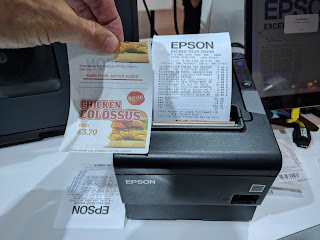
At Color Label Solutions, we sell two, inexpensive options for producing colorful inkjet labels to replace direct thermal printers.  First, we sell the ClariSafe printer, which prints labels up to 2.5” wide. 
ClariSafe Color Label Printer

Learn more here:

Watch this printer produce labels direct from a browser:


At less than $700, this printer produces great looking labels. Perfect for adding color symbols/icons on POS paper or labels.
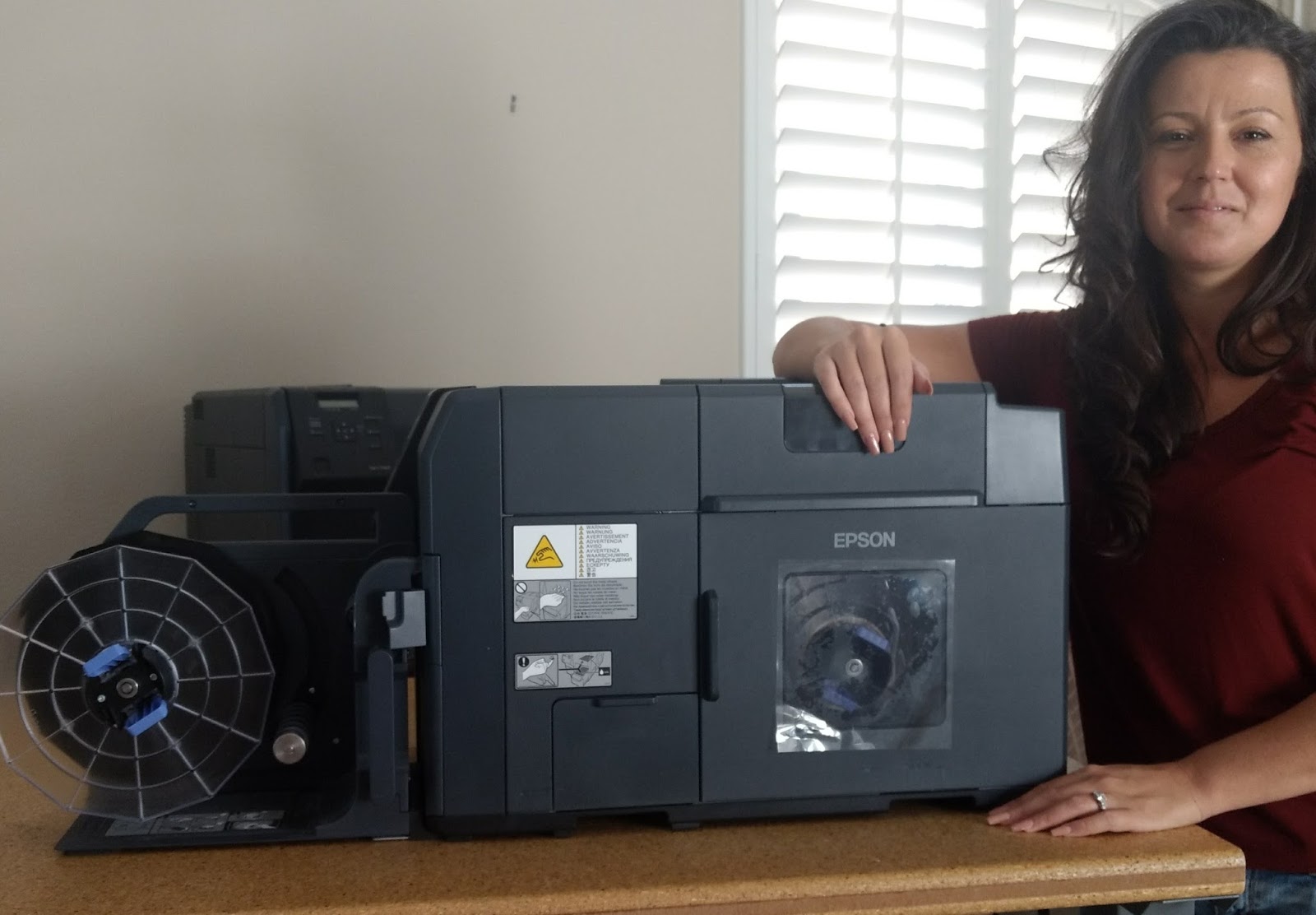
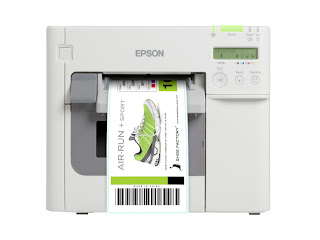
To replace direct thermal shipping or warehouse labels, consider the C3500; perfect for adding color images to 4” wide shipping labels.

C3500 Color Label Printer

Here is an earlier post about increasing the ROI from shipping labels by using color:


Even three years ago, the price difference between direct thermal and inkjet coated or even uncoated labels were not much. Pleasant Mattress replaced direct thermal printers with C3500 printers to produce color-coded labels.

You can purchase the C3500 here.

With the big increase in prices of direct thermal label media, maybe you should consider switching to a better, safer and more colorful label option.  We can help you with two affordable printer options; and the labels to go through these printers.  Contact us if you would consider moving away from Direct Thermal printers.
Guy Mikel
855-962-7670


Meet Tim

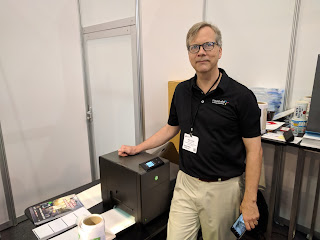
Recently, our Support Manager, Tim Semic, reached a milestone in providing support to our customers: 1,000 support calls.


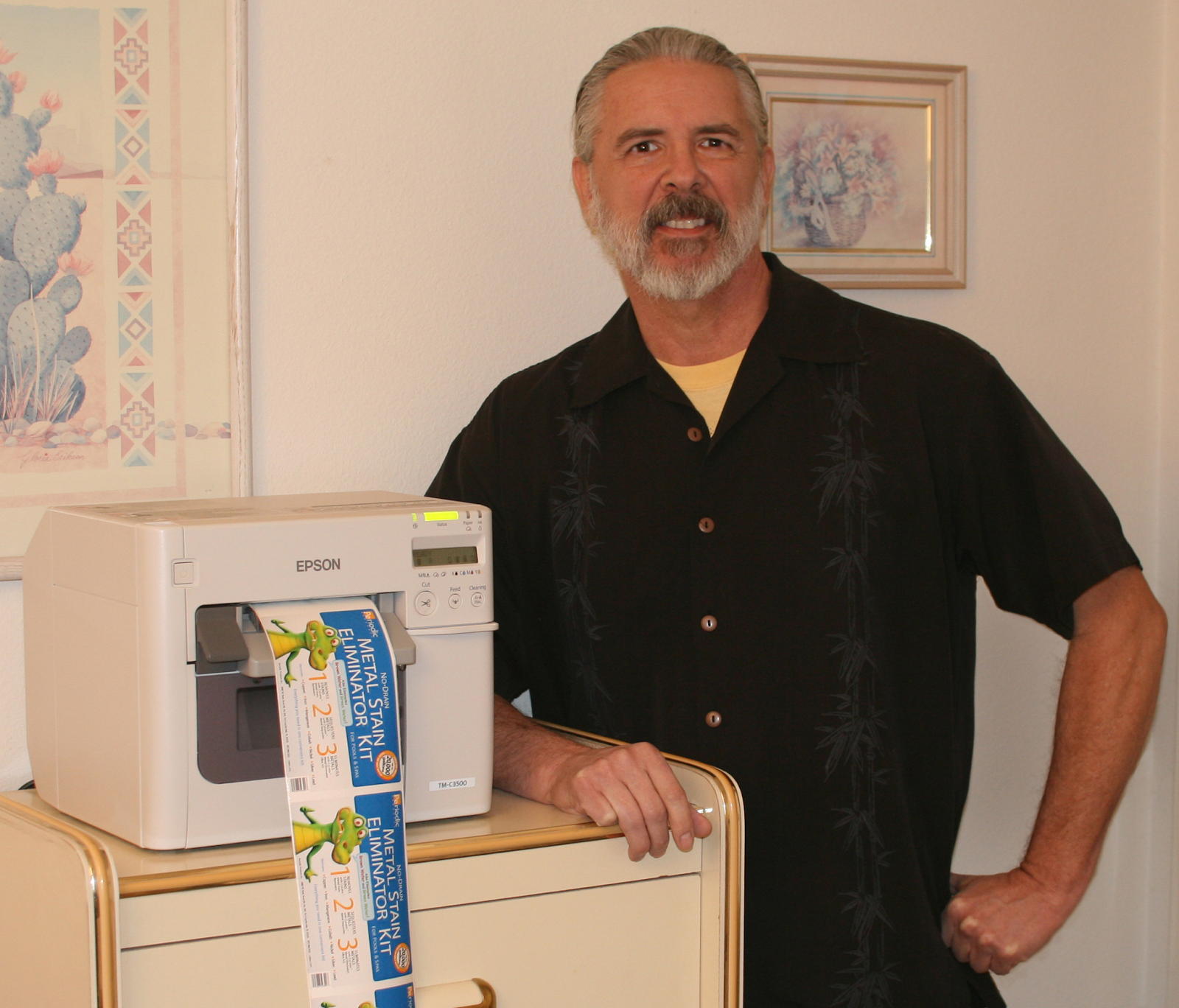
Color Label Solutions’s Support Manager-Tim
You may have read some of Tim’s previous posts.


Tim’s first call entry was May 7th, 2015; about 2.5 years ago.  When I learned of Tim’s call milestone, I asked, “what do you remember from your first call logged?”  According to Tim, “My first call was from a large beverage company and I remember being a bit nervous. The problem turned out to be a bug in the C3500 printer driver software that I was able to resolve by uninstalling and then reinstalling it using the Epson Install Navi. The Epson Install Navi is a more comprehensive installer and is helpful in installing label printers onto an Ethernet network. I have found that certain problems can be resolved by reinstalling the printer driver.”  Having never trained or worked as a Network Manager, I find these support situations the most difficult.

C7500 Install Navi
Install Navi 
I also thought immediately, how many calls did you take prior to starting a call log?  Tim said, “I took about fifty calls before I started logging them. At first, all I logged was the problem, but later for reference I noted what the fix was too.” Initially, I did a lot of the support calls.  But now Tim handles almost all of them.

C7500G
C7500G
When I provide support, I get frustrated easily; as I want to provide the answer to the issue quickly.  Given my personal experience, I asked Tim what he does not to get frustrated.  “If I begin to feel frustrated, I know it’s time to take a break.  I don’t want to burden our customer with this feeling. I just take it one step at a time and enjoy the work.”  Good idea.
But some calls are difficult.  I asked Tim what was his worst support call.  Tim said, “My worst call is any call where I find a hardware failure. I like to be able to solve problems for our customers.  When a device has a hardware failure, I can’t fix this kind of problem over the phone.  I have to give my customer the bad news. Depending upon the problem, the device may be unusable until it has been repaired. That’s not the kind of resolution that I hope for when I take a call.  Machines and electronic devices are susceptible to failure. Ask yourself this, if a device you own fails, would that be an inconvenience or a catastrophe?  If the answer is catastrophe, you should have a plan in place for when that device fails.  All mechanical and electronic devices will eventually fail.  It’s not a question of if, it’s a question of when, so please be prepared.”  Good advice Tim.  
But for the difficult calls, you get great calls as well.  I asked Tim what was the call that you provided the most support.  According to Tim, “I helped a chemical company set up their printing system.  After the setup was completed, I went on to create PDF format labels for them over the course of a year.  That on-going support was great as it allowed me to form a relationship with the customer.” 

Tim continued, “Also, I recently took a call around 10 p.m. at night, where the customer was planning on just leaving me a message.  We wound up working together that night to set up his new label printer.  We finished up slightly before midnight.  He was very grateful for the late night assistance which allowed them to be up and printing the next day.  I was happy to help.”  All I can say it, thanks Tim for great customer support!  You’re raising the bar for us high!

C3500
C3500 
At Color Label Solutions, we provide technical support to our customers, both initially to get them printing quickly and easily; and anytime they need additional help.  And we help them navigate the break/fix process when their printers need repair.  If you need a label printing solution, purchase from someone like us that is available to help when needed.
Guy Mikel
855-962-7670